Best POS System for Small Business in Kenya: Boost Profits & Grow Faster by Tiwi POS

Small businesses in Kenya are rapidly embracing POS systems as a smart way to boost efficiency, minimize errors, and support sustainable growth. Whether you operate a retail shop, kiosk, restaurant, or service business, a modern POS system brings together sales management, inventory tracking, and payment processing into one easy-to-use platform. With reliable solutions from Tiwi POS, small businesses can access tools that simplify operations while positioning them for long-term success.
Thanks to Kenya’s digital transformation, even startups can now benefit from affordable and scalable POS systems that were once reserved for large enterprises. Seamless integration with M-Pesa allows businesses to accept payments quickly and conveniently, while compliance with the Kenya Revenue Authority eTIMS ensures proper tax management and legal operations. Tiwi POS is designed with small businesses in mind, offering flexible solutions that grow alongside your business without unnecessary complexity or cost.
This guide explores the best POS systems for small businesses in Kenya, covering essential features, pricing considerations, and expert tips for choosing the right solution. Whether you are just starting or looking to upgrade your current setup, Tiwi POS delivers tailored, cost-effective systems that help you operate smarter, serve customers better, and scale your business with confidence.
1. What Is a POS System for Small Businesses?
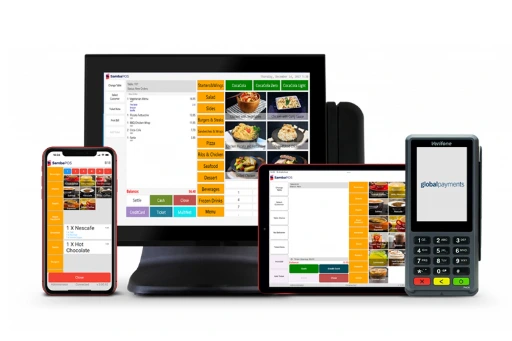
A Point of Sale (POS) system is the central tool that small businesses use to process transactions and manage daily operations. It combines both hardware (physical devices) and software (digital systems) to help businesses sell efficiently, track performance, and make informed decisions.
1.1 A POS system is a combination of software and hardware used to process transactions and manage business operations
A POS system is not just a machine—it is a complete business management solution. It includes physical components like a touchscreen monitor, barcode scanner, receipt printer, and card reader, along with software that processes transactions and records data.
For example, when a customer buys an item in a shop:
- The barcode scanner reads the product
- The system calculates the total
- The customer pays via cash, card, or mobile money
- A receipt is generated instantly
This integrated process replaces traditional manual record-keeping, making operations faster and more reliable.
A POS system acts as the “brain” of a business—handling both transactions and operational control in one place.
1.2 It helps track sales, inventory, customers, and financial data
Modern POS systems go far beyond just selling products—they capture and analyze business data in real time.
- Sales tracking: Every transaction is recorded automatically, helping you monitor daily, weekly, or monthly performance.
- Inventory management: The system updates stock levels instantly after each sale, reducing overstocking or stockouts.
- Customer data: Some POS systems store customer purchase history, enabling loyalty programs and targeted promotions.
- Financial reports: Business owners can generate reports showing profits, expenses, and trends.
This level of automation reduces human error and gives business owners clear visibility into their operations.
POS systems transform raw business activities into valuable insights that support better decision-making.
1.3 Designed to simplify operations and improve accuracy
Small businesses often struggle with manual processes like handwritten receipts or spreadsheets. A POS system simplifies everything by:
- Automating calculations (no pricing mistakes)
- Reducing human errors in stock and sales records
- Speeding up checkout processes
- Centralizing all operations in one system
For example, instead of manually counting stock at the end of the day, the POS system already provides accurate inventory data. This saves time and improves operational efficiency.
Additionally, many POS systems are user-friendly and require minimal training, making them ideal for small businesses with limited staff.
By automating routine tasks, POS systems reduce workload and ensure accurate, efficient business operations.
1.4 Modern POS systems support mobile money, cards, and cash payments
One of the biggest advantages of modern POS systems—especially in Kenya—is their ability to support multiple payment methods.
- Mobile money (e.g., M-Pesa) – widely used in Kenya
- Debit/Credit cards – via card readers
- Cash payments – still common in small businesses
- Digital wallets & contactless payments
Some systems even allow businesses to operate on mobile devices, meaning you can run your business from a smartphone or tablet.
This flexibility improves customer convenience and increases sales opportunities since customers can pay using their preferred method.
Multi-payment support ensures businesses can serve more customers efficiently and stay competitive in a digital economy.
A POS system is an essential tool for small businesses because it combines transaction processing, business management, and data analysis into one platform. From handling payments to tracking inventory and generating reports, it simplifies operations while improving accuracy and efficiency.
In today’s competitive business environment, adopting a POS system is no longer optional—it is a strategic move that helps small businesses grow, scale, and make smarter decisions.
2. Types of POS Systems for Small Businesses in Kenya
2.1 Mobile POS (mPOS)
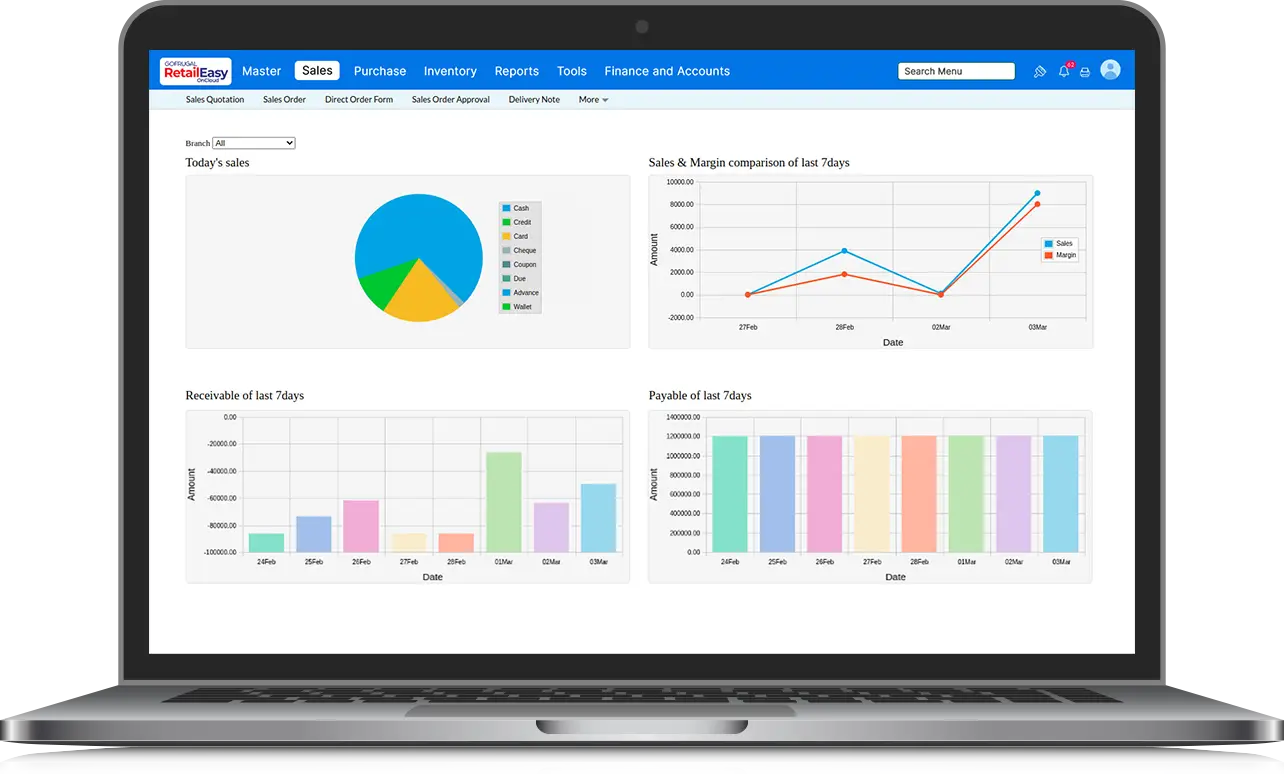
Mobile POS systems (mPOS) are designed to run on smartphones or tablets, making them one of the most flexible and accessible solutions for small businesses in Kenya. They are especially popular among startups and entrepreneurs who want to digitize operations without investing heavily in hardware.
2.1.1 Runs on smartphones or tablets
An mPOS system transforms a smartphone or tablet into a fully functional point-of-sale device. With a simple app and a small card reader, businesses can process payments, record sales, and even manage inventory. This eliminates the need for bulky equipment and allows business owners to operate from virtually anywhere.
2.1.2 Affordable and easy to set up
Compared to traditional POS systems, mPOS solutions are significantly more affordable. Most require minimal upfront costs since you only need a smartphone and a basic payment accessory. Setup is also straightforward—download the app, connect the device, and start selling within minutes.
2.1.3 Ideal for kiosks, small shops, and mobile businesses
mPOS systems are perfect for businesses that operate in dynamic environments such as kiosks, market stalls, delivery services, and pop-up shops. Their portability allows business owners to serve customers on the go, improving convenience and increasing sales opportunities.
Mobile POS systems are a cost-effective and flexible option, ideal for small businesses looking for mobility and simplicity.
2.2 Cloud-Based POS Systems
Cloud-based POS systems store data online, allowing business owners to access their systems from anywhere with an internet connection. This makes them highly efficient for modern businesses that require real-time insights and remote management.
2.2.1 Accessible via the internet from anywhere
With a cloud POS system, all data is stored securely online. This means you can log in from your phone, laptop, or tablet and monitor your business even when you are not physically present at the shop. It is especially useful for business owners managing multiple locations.
2.2.2 Offers real-time reporting and remote management
Cloud systems provide instant updates on sales, inventory, and performance. You can view daily sales reports, track stock levels, and monitor employee activity in real time. This enables faster decision-making and better control over operations.
2.2.3 Easy to scale as the business grows
As your business expands, cloud POS systems can easily adapt. You can add new users, branches, or features without replacing the entire system. This scalability makes them ideal for businesses planning long-term growth.
Cloud-based POS systems offer flexibility, real-time insights, and scalability, making them a powerful solution for growing businesses.
2.3 Desktop POS Systems
Desktop POS systems are the traditional and most robust type of POS setup. They typically include a computer, receipt printer, barcode scanner, and cash drawer, forming a complete checkout station.
2.3.1 Includes computer, printer, and cash drawer
This setup provides a full workstation where all transactions are processed. The system is stable and reliable, making it suitable for businesses with a fixed location and consistent customer flow.
2.3.2 Suitable for small retail stores and mini-supermarkets
Desktop POS systems are commonly used in retail shops, supermarkets, and restaurants where operations are more structured. They handle high transaction volumes efficiently and support advanced features like barcode scanning and receipt printing.
2.3.3 Offers more robust features and reliability
Compared to mobile systems, desktop POS solutions are more powerful. They support detailed reporting, advanced inventory tracking, employee management, and integrations with other business tools. They are also less dependent on internet connectivity when using offline-capable software.
Desktop POS systems provide reliability and advanced functionality, making them ideal for established small businesses with higher transaction volumes.
Choosing the right type of POS system depends on your business size, budget, and operational needs. Mobile POS offers flexibility, cloud-based systems provide scalability and remote access, while desktop systems deliver stability and advanced features. By understanding these options, small businesses in Kenya can select a solution that aligns with their growth goals and daily operations.
3. Key Features Small Businesses Should Look For
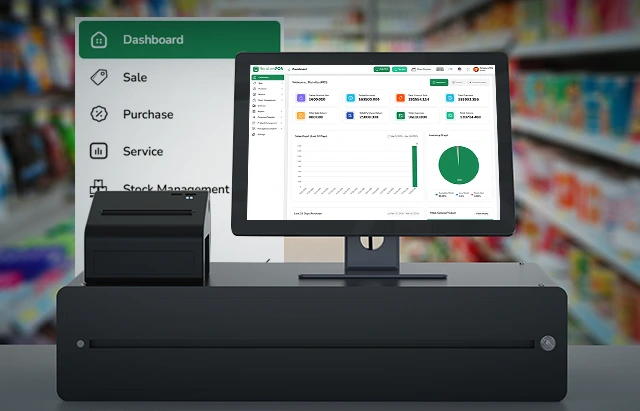
Choosing the right POS system is not just about processing payments—it’s about selecting a solution that supports your entire business operation. The best POS systems for small businesses in Kenya come equipped with features that improve efficiency, reduce errors, and provide valuable insights. From managing sales to tracking inventory and accepting multiple payment methods, these features help businesses operate smoothly and grow sustainably.
3.1 Sales Management – Fast and Accurate Transaction Processing
A reliable POS system ensures that every transaction is processed quickly and accurately, helping businesses maintain efficiency and customer satisfaction.
- Quick product entry – Items can be scanned or selected instantly, reducing delays at checkout.
- Automated calculations – Prices, discounts, and totals are computed instantly, eliminating manual errors.
- Smooth checkout process – Transactions are completed faster, improving customer flow.
- Handles returns and discounts – Easily manage refunds, exchanges, and promotional pricing.
Efficient sales management not only speeds up service but also ensures accuracy in every transaction.
Strong sales management features improve speed, accuracy, and overall customer experience.
3.2 Inventory Tracking – Monitor Stock Levels and Avoid Losses
Inventory tracking is essential for businesses that deal with products, helping maintain control over stock and prevent losses.
- Real-time stock updates – Inventory is automatically updated after every sale.
- Low stock alerts – Get notified when items are running out to avoid stockouts.
- Product organization – Manage different product categories, sizes, and variations بسهولة.
- Reduced losses – Helps prevent theft, overstocking, and expired inventory.
With accurate inventory tracking, businesses can make better purchasing and stocking decisions.
Inventory tracking ensures better stock control, reduces losses, and improves efficiency.
3.3 Reports and Analytics – Track Profits, Sales Trends, and Performance
A good POS system provides detailed insights that help business owners understand performance and make informed decisions.
- Sales reports – Track daily, weekly, and monthly sales performance.
- Profit analysis – Monitor revenue, expenses, and profit margins.
- Trend identification – Identify best-selling products and peak business periods.
- Performance monitoring – Evaluate staff performance and overall business growth.
These insights allow businesses to plan better and respond to market trends effectively.
Reports and analytics turn data into actionable insights that support growth and smarter decision-making.
3.4 Multi-Payment Support – Accept M-Pesa, Cards, and Cash
Modern POS systems in Kenya must support multiple payment options to meet customer expectations and increase convenience.
- Mobile money integration – Accept payments via M-Pesa and other mobile wallets.
- Card payments – Support debit and credit card transactions.
- Cash handling – Easily record and manage cash payments.
- Seamless payment processing – All payment methods are integrated into one system.
Offering multiple payment options ensures that no customer is turned away due to payment limitations.
Multi-payment support increases flexibility, improves customer experience, and boosts sales.
3.5 User-Friendly Interface – Easy for Staff to Learn and Use Quickly
Ease of use is a critical factor when choosing a POS system, especially for small businesses with limited training resources.
- Simple navigation – Clean and intuitive interface for quick operation.
- Minimal training required – Staff can learn and start using the system quickly.
- Reduced errors – Easy-to-use systems minimize mistakes during transactions.
- Improved productivity – Employees work faster and more efficiently.
A user-friendly system ensures smooth daily operations and reduces downtime caused by confusion or errors.
A simple and intuitive POS system improves efficiency, reduces training time, and enhances staff performance.
The key features of a POS system—sales management, inventory tracking, reporting, multi-payment support, and ease of use—are essential for running a successful small business in Kenya. By choosing a system with these capabilities, businesses can streamline operations, improve accuracy, and deliver better customer service while positioning themselves for long-term growth.
4. Cost of POS Systems for Small Businesses in Kenya
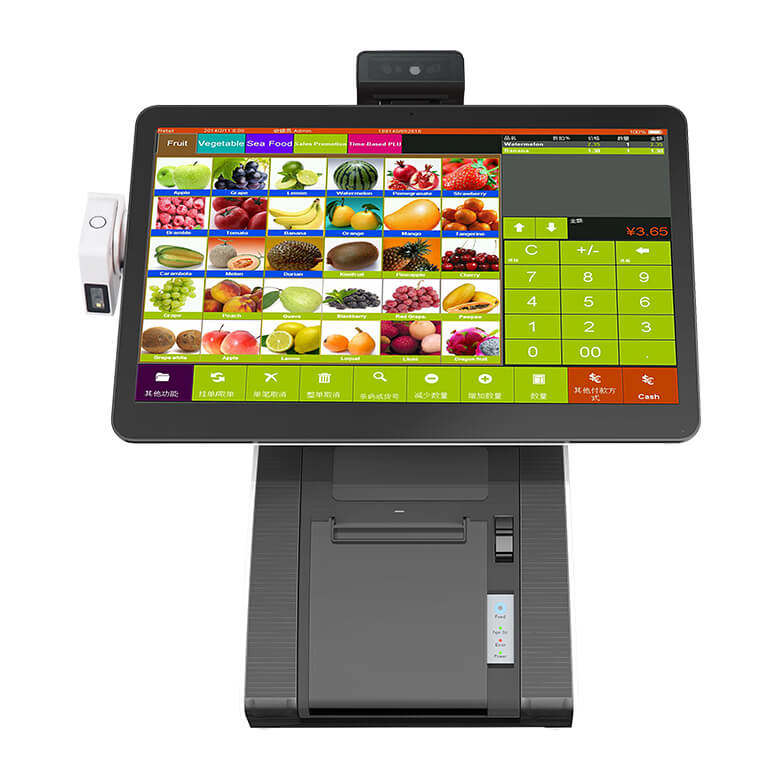
Understanding the cost of a POS system is essential for small businesses looking to invest wisely without straining their budget. In Kenya, POS systems are available in different price ranges depending on features, type, and hardware requirements. Whether you are starting small or scaling up, there are flexible options that allow you to adopt a POS system gradually while keeping costs manageable.
4.1 Basic POS Software – Ksh 11,000 – Ksh 30,000
Basic POS software is the most affordable entry point for small businesses that want to digitize their operations without investing heavily in hardware.
- One-time purchase option – Many providers offer software licenses that require a single payment.
- Core features included – Sales tracking, basic inventory management, and reporting.
- Runs on existing devices – Can be installed on a laptop, tablet, or desktop computer.
- Ideal for startups – Suitable for small shops, kiosks, and new businesses with limited budgets.
This option allows businesses to start small while still enjoying the benefits of automation and improved efficiency.
Basic POS software offers an affordable way for small businesses to transition from manual to digital operations.
4.2 Cloud-Based Systems – Ksh 1,000 – Ksh 3,000 Per Month
Cloud-based POS systems are typically offered on a subscription basis, making them accessible without high upfront costs.
- Monthly subscription model – Pay a manageable fee instead of a large initial investment.
- Automatic updates – Software is updated regularly without additional charges.
- Remote access – Monitor your business from anywhere using internet-connected devices.
- Scalable pricing – Upgrade features as your business grows.
This model is especially beneficial for businesses that want flexibility and continuous improvements without worrying about maintenance.
Cloud-based POS systems provide flexibility, scalability, and affordability through manageable monthly payments.
4.3 Complete POS Setups (Hardware + Software) – Ksh 30,000 – Ksh 80,000
For businesses looking for a full solution, complete POS setups include both hardware and software components.
- All-in-one solution – Includes POS terminal, barcode scanner, receipt printer, and cash drawer.
- Professional setup – Ideal for retail stores, supermarkets, and restaurants.
- Higher efficiency – Designed to handle larger transaction volumes.
- Long-term investment – Offers durability and advanced functionality.
While the upfront cost is higher, this option provides a comprehensive system that supports business growth and operational efficiency.
Complete POS setups deliver a robust and professional solution for businesses ready to scale operations.
4.4 Entry-Level Hardware Can Be Added Gradually
Small businesses do not need to invest in all POS hardware at once. Many systems allow gradual upgrades based on business needs.
- Start with essentials – Begin with a tablet or computer and POS software.
- Add accessories over time – Introduce barcode scanners, receipt printers, and cash drawers as needed.
- Flexible investment approach – Spread costs over time instead of making a large upfront payment.
- Customizable setup – Build a system that matches your business operations.
This flexibility makes POS systems accessible even to small businesses with tight budgets.
Gradual hardware investment allows businesses to adopt POS systems affordably while scaling at their own pace.
The cost of POS systems in Kenya varies depending on the type of solution, features, and hardware involved. From affordable software options to complete setups, there is a solution for every business size and budget. With flexible pricing models and scalable options, small businesses can invest in POS systems that support growth, improve efficiency, and enhance customer service without overwhelming financial strain.
5. Best POS Systems for Small Businesses in Kenya
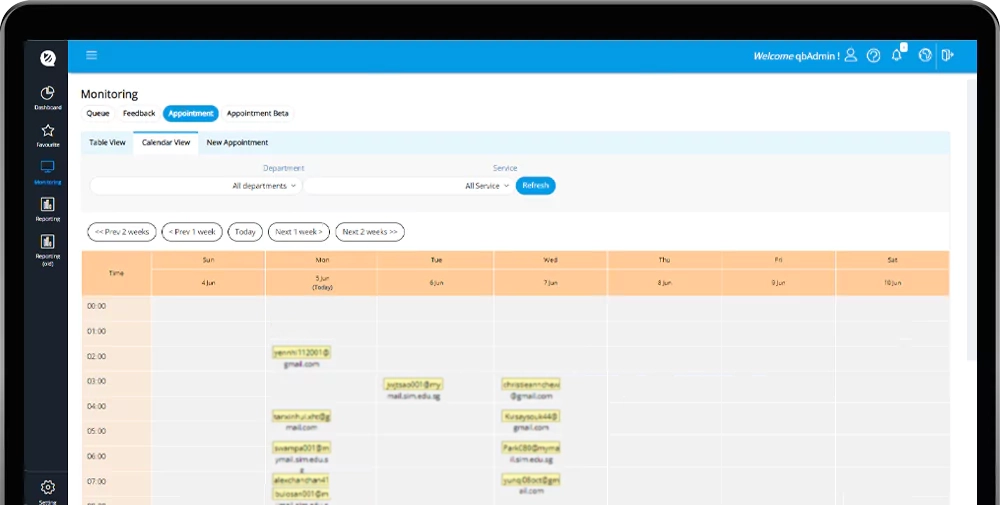
Choosing the right POS system depends on the type of business you run. Different industries require different features, workflows, and levels of complexity. In Kenya, there are specialized POS solutions tailored for retail, hospitality, service businesses, and mobile vendors. These systems are designed to improve efficiency, streamline operations, and support business growth.
5.1 Retail POS Systems – For Shops, Boutiques, and Supermarkets
Retail POS systems are designed to handle high volumes of transactions and manage large inventories efficiently.
- Barcode scanning – Quickly scan products for fast and accurate checkout.
- Inventory management – Track stock levels, manage suppliers, and monitor product movement.
- Sales tracking – Monitor daily sales and identify best-selling items.
- Receipt generation – Provide professional receipts for customers.
These systems are ideal for supermarkets, electronics shops, clothing boutiques, and general retail stores where speed and accuracy are essential.
Retail POS systems improve checkout efficiency and provide strong inventory control for product-based businesses.
5.2 Restaurant POS Systems – For Cafés, Hotels, and Food Outlets
Restaurant POS systems are tailored for the food and hospitality industry, focusing on order management and service efficiency.
- Order management – Take and send orders directly to the kitchen.
- Table management – Track occupied tables and manage seating arrangements.
- Split billing – Easily divide bills among customers.
- Menu customization – Update menus, prices, and specials in real time.
These systems help reduce errors in orders, speed up service, and improve customer experience in restaurants, cafés, and hotels.
Restaurant POS systems streamline food service operations, improving accuracy and customer satisfaction.
5.3 Service POS Systems – For Salons, Repair Shops, and Small Service Businesses
Service-based businesses require POS systems that focus more on appointments, customer management, and service tracking rather than inventory.
- Appointment scheduling – Book and manage customer appointments بسهولة.
- Customer records – Store client history, preferences, and contact details.
- Service tracking – Monitor services offered and staff performance.
- Billing and invoicing – Generate invoices and process payments efficiently.
These systems are ideal for salons, barber shops, car repair garages, and other service-oriented businesses.
Service POS systems help manage appointments and customer relationships, improving efficiency and service quality.
5.4 Mobile POS Systems – For Vendors and Businesses on the Move
Mobile POS systems are perfect for businesses that operate outside traditional shop settings or require flexibility.
- Portable devices – Use smartphones or handheld devices to process transactions.
- On-the-go payments – Accept M-Pesa, cards, and cash anywhere.
- Simple setup – Easy to install and start using quickly.
- Ideal for mobile businesses – Suitable for vendors, delivery services, and pop-up shops.
These systems allow businesses to reach customers wherever they are, increasing convenience and sales opportunities.
Mobile POS systems provide flexibility and mobility, making them ideal for businesses that operate on the move.
The best POS system for a small business in Kenya depends on the nature of the business and its operational needs. Retail, restaurant, service, and mobile POS systems each offer specialized features that enhance efficiency and customer experience. Solutions like SimbaPOS and other cloud-based systems are designed to be user-friendly, scalable, and suitable for growing businesses, making them a smart investment for long-term success.
6. Benefits of POS Systems for Small Businesses

Adopting a POS system is one of the smartest decisions a small business can make to improve efficiency, accuracy, and overall performance. Beyond processing payments, a POS system becomes a powerful business tool that streamlines operations, enhances customer service, and provides valuable insights. For small businesses in Kenya, it also supports modern payment methods and helps create a more professional and competitive business environment.
6.1 Speeds Up Transactions and Improves Customer Service
A POS system significantly enhances how quickly and efficiently transactions are handled, directly impacting customer satisfaction.
- Fast checkout process – Items are scanned or selected instantly, reducing delays.
- Automated calculations – Totals and discounts are processed immediately.
- Shorter queues – Faster service reduces waiting time for customers.
- Better customer experience – Smooth transactions create a professional impression.
Improved speed and service encourage repeat customers and increase overall sales.
Faster transactions lead to better service delivery and improved customer satisfaction.
6.2 Reduces Errors Compared to Manual Record-Keeping
Manual systems are prone to mistakes, especially when handling multiple transactions or managing stock. A POS system minimizes these errors through automation.
- Accurate pricing – Eliminates mistakes in calculations and totals.
- Automated records – Every transaction is recorded correctly and consistently.
- Reduced human error – Less reliance on manual input improves accuracy.
- Reliable data storage – Information is securely stored and easily retrievable.
This ensures that business operations remain accurate and trustworthy.
POS systems improve accuracy by eliminating common errors associated with manual processes.
6.3 Provides Real-Time Insights into Business Performance
A POS system gives business owners access to real-time data, helping them understand how their business is performing at any given time.
- Live sales tracking – Monitor transactions as they happen.
- Performance reports – Analyze revenue, profits, and trends.
- Identify best-selling products – Focus on items that generate the most income.
- Track business growth – Measure progress over time.
These insights help business owners make informed and timely decisions.
Real-time data enables smarter decision-making and better business management.
6.4 Helps Prevent Stock Losses and Theft Through Tracking Systems
Inventory management is one of the biggest challenges for small businesses, and POS systems help address this effectively.
- Stock monitoring – Track inventory levels automatically.
- Loss prevention – Identify discrepancies that may indicate theft or mismanagement.
- Low stock alerts – Avoid running out of key products.
- Detailed inventory reports – Understand stock movement and usage patterns.
This improves accountability and ensures better control over business assets.
POS systems enhance stock control, reducing losses and improving accountability.
6.5 Enables Better Financial Planning and Decision-Making
With accurate data and detailed reports, POS systems support better financial management and long-term planning.
- Revenue tracking – Monitor income and expenses easily.
- Profit analysis – Understand margins and profitability.
- Budget planning – Make informed financial decisions based on real data.
- Growth planning – Use insights to expand and improve operations.
This helps businesses operate more strategically rather than relying on guesswork.
POS systems empower businesses with the data needed for smarter financial planning and sustainable growth.
POS systems offer numerous benefits for small businesses in Kenya, from improving transaction speed and accuracy to providing valuable insights and preventing losses. By adopting a POS system, businesses can streamline operations, enhance customer service, and make better decisions—ultimately positioning themselves for long-term success and growth.
7. Common Challenges and How to Overcome Them
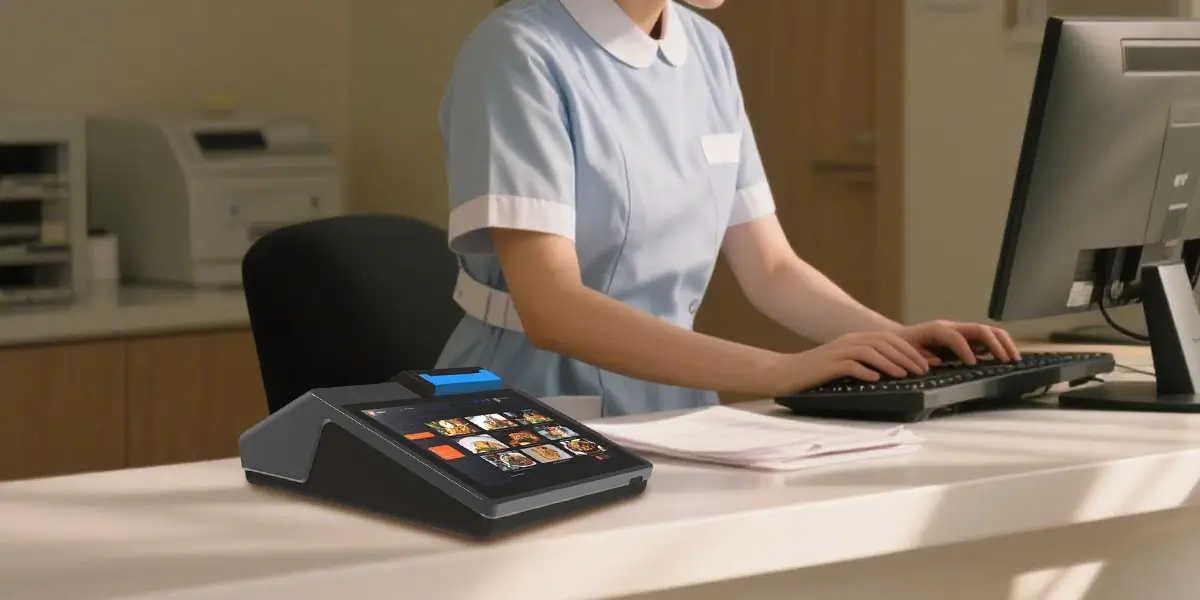
While POS systems offer numerous benefits, small businesses in Kenya may face a few challenges during adoption and use. These challenges are common, especially for startups and growing businesses, but the good news is that they can be managed with the right approach. By understanding these obstacles and applying practical solutions, businesses can successfully implement POS systems and enjoy their full advantages.
7.1 Budget Constraints – Start with Basic Systems and Upgrade Later
Cost is one of the biggest concerns for small businesses when adopting a POS system. However, this challenge can be managed with a phased approach.
- Start small – Begin with affordable POS software or a basic mobile POS setup.
- Prioritize essential features – Focus on core functions like sales and inventory first.
- Upgrade gradually – Add advanced features and hardware as the business grows.
- Avoid unnecessary expenses – Choose a system that fits your current needs without overinvesting.
This approach allows businesses to enjoy the benefits of a POS system without financial strain.
Starting with a basic system and upgrading over time makes POS adoption affordable and sustainable.
7.2 Lack of Training – Choose User-Friendly Systems and Ensure Staff Training
Introducing a new system can be challenging for staff, especially if they are not familiar with technology. Proper training is essential for smooth operations.
- Choose intuitive systems – Select POS systems with simple and clear interfaces.
- Provide basic training – Train staff on daily operations such as sales and reporting.
- Offer continuous support – Ensure employees can ask questions and get assistance when needed.
- Encourage practice – Allow staff to use the system regularly to build confidence.
Well-trained staff can use the system efficiently, reducing errors and improving productivity.
Investing in training ensures staff can use the POS system effectively and confidently.
7.3 Internet Dependence – Use Systems with Offline Capability
Many modern POS systems rely on internet connectivity, which can be unreliable in some areas. Choosing the right system can help overcome this challenge.
- Offline functionality – Use POS systems that can process transactions without internet.
- Automatic syncing – Data can be updated once the connection is restored.
- Backup options – Have alternative payment methods available during downtime.
- Stable connection setup – Invest in reliable internet where possible.
This ensures that business operations continue smoothly even during network interruptions.
POS systems with offline capabilities ensure uninterrupted operations despite internet challenges.
7.4 Hardware Costs – Begin with Mobile POS Before Upgrading
Hardware costs can be high, especially for complete POS setups. However, businesses can manage this by starting with simpler solutions.
- Use existing devices – Start with a smartphone or tablet as your POS system.
- Add hardware gradually – Introduce printers, scanners, and cash drawers over time.
- Focus on essentials first – Invest in what is immediately necessary for operations.
- Scale as you grow – Upgrade to a full POS setup when the business expands.
This flexible approach helps businesses control costs while still benefiting from POS technology.
Starting with mobile POS and upgrading gradually reduces financial pressure and supports steady growth.
Although small businesses may face challenges such as budget constraints, training needs, internet dependence, and hardware costs, these obstacles can be effectively managed with the right strategies. By starting small, choosing user-friendly systems, and adopting flexible solutions, businesses in Kenya can successfully implement POS systems and unlock their full potential for growth and efficiency.
8. Why Choose Tiwi POS for Small Business POS Systems
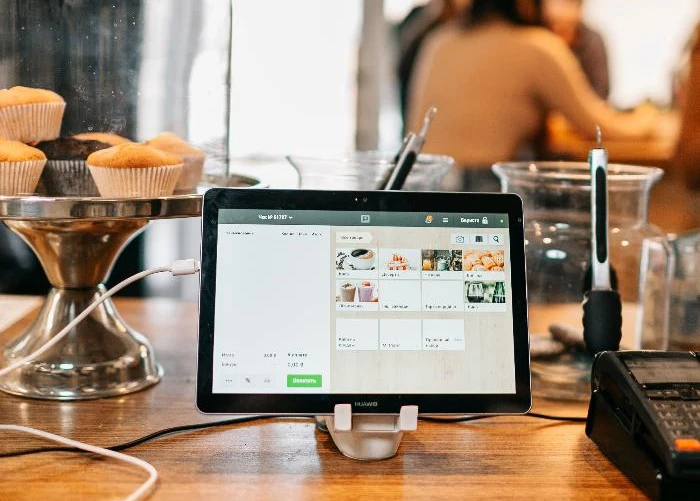
Choosing the right POS provider is just as important as selecting the system itself. A reliable provider ensures that your business not only gets the right tools but also the support needed to operate smoothly and grow over time. Tiwi POS stands out as a trusted solution for small businesses in Kenya by offering affordable, scalable, and fully supported POS systems tailored to local business needs.
8.1 Offers Affordable POS Solutions Tailored for SMEs in Kenya
Tiwi POS understands the financial realities of small and medium-sized businesses and provides cost-effective solutions designed to deliver value without compromising quality.
- Budget-friendly options – Affordable systems suitable for startups and growing businesses.
- Customized solutions – Systems tailored to specific industries such as retail, hospitality, and services.
- Flexible pricing – Options that allow businesses to choose what fits their budget.
- High return on investment – Improves efficiency and profitability over time.
This makes it easier for businesses to adopt POS technology without financial strain.
Tiwi POS provides affordable and practical solutions that meet the needs of Kenyan SMEs.
8.2 Provides Complete Packages Including Hardware, Software, Installation, and Training
One of the biggest advantages of choosing Tiwi POS is access to a complete, all-in-one solution.
- Full system setup – Includes POS machines, software, and accessories.
- Professional installation – Ensures the system is set up correctly from the start.
- Staff training – Employees are trained to use the system efficiently.
- Seamless integration – Everything works together smoothly for better performance.
This eliminates the hassle of sourcing different components from multiple providers.
A complete package ensures a smooth setup process and reliable system performance from day one.
8.3 Flexible Systems That Grow with Your Business
As your business expands, your POS system should be able to grow with you. Tiwi POS offers scalable solutions that adapt to changing business needs.
- Easy upgrades – Add new features and functionalities as needed.
- Supports expansion – Manage multiple branches from one system.
- Customizable features – Adjust the system to match your operations.
- Future-ready technology – Designed to support long-term growth.
This flexibility ensures that your investment continues to deliver value as your business evolves.
Tiwi POS systems are scalable, making them ideal for businesses planning to grow.
8.4 Reliable Local Support for Maintenance and Troubleshooting
Reliable support is essential to ensure your POS system runs smoothly at all times. Tiwi POS provides local assistance to help businesses resolve issues quickly.
- Quick response times – Get help when you need it without long delays.
- Technical support – Assistance with system issues, updates, and maintenance.
- On-site support – Technicians can visit your business when necessary.
- Continuous assistance – Ongoing support to keep your system running efficiently.
Having access to local support gives business owners peace of mind and minimizes downtime.
Strong local support ensures your POS system remains reliable and efficient at all times.
Tiwi POS is a reliable partner for small businesses in Kenya, offering affordable, scalable, and fully supported POS solutions. With complete packages, flexible systems, and dependable local support, businesses can operate more efficiently and focus on growth. Choosing Tiwi POS means investing in a system that not only meets your current needs but also supports your long-term success.
9. Tips for Choosing the Right POS System
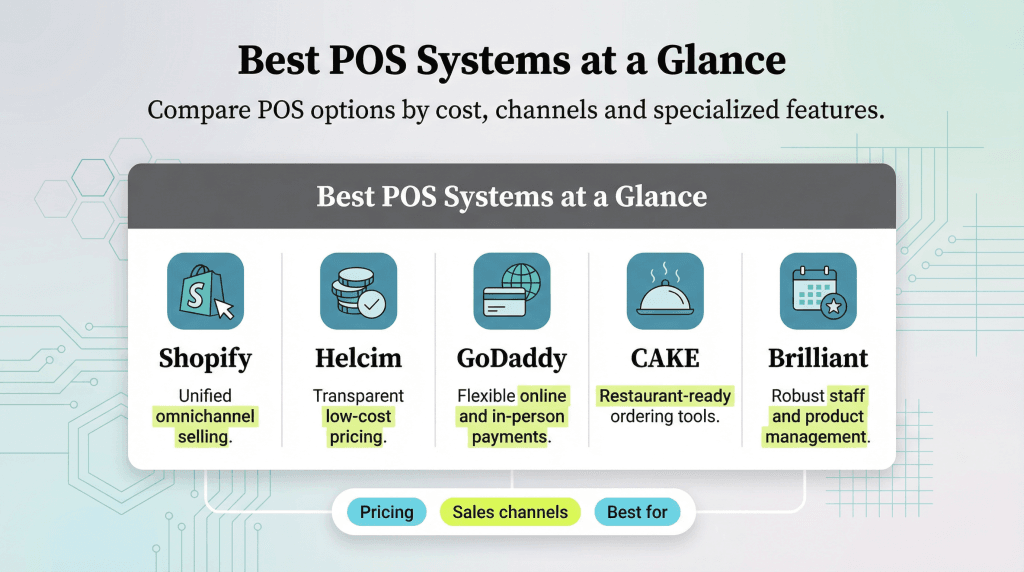
Selecting the right POS system is a critical decision that can directly impact your business efficiency, customer experience, and long-term growth. With many options available in Kenya, it’s important to focus on what truly matters for your business rather than just going for the cheapest option. A well-chosen POS system will streamline operations, improve accuracy, and support your business as it expands.
9.1 Start with Your Business Needs, Not Just Price
Many businesses make the mistake of choosing a POS system based solely on cost, which can lead to limitations later on.
- Identify your requirements – Consider your business type, size, and daily operations.
- Focus on essential features – Prioritize functions like sales tracking, inventory, and reporting.
- Avoid underpowered systems – Cheap systems may lack important capabilities.
- Think long-term – Choose a system that will still serve your business as it grows.
By focusing on your needs first, you ensure that the system supports your operations effectively.
The best POS system is one that meets your business needs, not just your budget.
9.2 Choose a Scalable System That Grows with Your Business
As your business expands, your POS system should be able to keep up with increased demand and complexity.
- Easy upgrades – Add features and functionalities as needed.
- Multi-branch support – Manage multiple locations from one system.
- Flexible user access – Add staff accounts as your team grows.
- Future-proof solution – Avoid replacing the system as your business scales.
A scalable system protects your investment and ensures continuity as your business evolves.
Scalability ensures your POS system remains useful as your business grows.
9.3 Ensure Compatibility with M-Pesa and Local Payment Systems
In Kenya, payment flexibility is essential, and your POS system must support widely used local payment methods.
- M-Pesa integration – Accept mobile money payments seamlessly.
- Card payment support – Enable debit and credit card transactions.
- Cash handling – Record and manage cash payments efficiently.
- Unified system – All payment methods should be integrated into one platform.
This ensures convenience for customers and smooth financial tracking for the business.
Compatibility with local payment systems increases convenience and boosts sales opportunities.
9.4 Work with a Trusted Provider Like Tiwi POS for Proper Setup
Choosing the right provider is just as important as choosing the system itself. A trusted provider ensures proper installation, training, and ongoing support.
- Professional installation – Ensures the system is set up correctly.
- Staff training – Helps employees use the system efficiently.
- Ongoing support – Get assistance when issues arise.
- Reliable service – Work with experienced providers like Tiwi POS for peace of mind.
A good provider helps you maximize the value of your POS system and avoid common challenges.
Partnering with a trusted provider ensures a smooth setup and long-term system reliability.
Choosing the right POS system requires careful consideration of your business needs, scalability, payment compatibility, and provider reliability. By following these tips, small businesses in Kenya can select a POS solution that not only meets current requirements but also supports future growth and success.
10. FAQs on POS Systems for Small Businesses in Kenya
Understanding how POS systems work is important for small business owners looking to adopt this technology. Below are some of the most frequently asked questions about POS systems in Kenya, along with clear and practical answers to guide your decision.
10.1 What is the best POS system for small businesses in Kenya?
The best POS system depends on your business type and needs.
- Mobile POS systems – Ideal for small shops, kiosks, and mobile businesses due to affordability.
- Cloud-based POS systems – Popular for flexibility, remote access, and scalability.
- Industry-specific systems – Retail, restaurant, or service POS tailored to your operations.
Choosing the right system ensures efficiency and long-term value.
The best POS system is one that aligns with your business operations and growth plans.
10.2 How much does a POS system cost for a small business?
The cost of a POS system in Kenya varies depending on features and setup.
- Basic software – Around Ksh 11,000 to Ksh 30,000.
- Complete systems – Range from Ksh 30,000 to Ksh 80,000.
- Cloud subscriptions – Typically Ksh 1,000 to Ksh 3,000 per month.
Businesses can choose options that fit their budget and scale over time.
POS systems are available at different price points, making them accessible to small businesses.
10.3 Can I use a POS system without internet?
Yes, many POS systems offer offline functionality.
- Offline mode – Continue processing transactions without internet.
- Data syncing – Information updates automatically once the connection is restored.
- Reliable operations – Ensures business continuity during network downtime.
This makes POS systems practical even in areas with unstable connectivity.
Offline capability ensures uninterrupted business operations.
10.4 Does POS support M-Pesa payments?
Yes, most modern POS systems in Kenya integrate with mobile money platforms.
- M-Pesa integration – Accept payments directly within the POS system.
- Faster transactions – Reduces manual payment confirmation.
- Accurate records – All payments are automatically recorded.
This improves convenience for both customers and business owners.
M-Pesa compatibility is a key feature for businesses operating in Kenya.
10.5 Is POS suitable for small shops?
Yes, POS systems are highly beneficial for small retail businesses.
- Sales tracking – Monitor daily transactions easily.
- Inventory management – Keep track of stock levels in real time.
- Improved efficiency – Simplifies operations and reduces manual work.
Even small shops can benefit significantly from adopting a POS system.
POS systems are ideal for small shops looking to improve efficiency and control.
10.6 Can I upgrade my POS system later?
Most modern POS systems are designed to be scalable.
- Add new features – Upgrade functionality as needed.
- Expand operations – Manage multiple branches.
- Flexible growth – Adapt the system as your business evolves.
This ensures your POS system grows alongside your business.
Scalability allows businesses to expand without replacing their POS system.
10.7 Do I need training to use a POS system?
Basic training is recommended, but most systems are easy to use.
- User-friendly interfaces – Designed for quick learning.
- Short training time – Staff can learn within a few hours or days.
- Ongoing support – Providers often offer assistance when needed.
This makes POS systems accessible even to businesses with minimal technical experience.
With minimal training, staff can efficiently operate most POS systems.
10.8 What hardware do I need?
A complete POS setup typically includes several hardware components.
- POS terminal or tablet – The main device for running the system.
- Receipt printer – Prints customer receipts.
- Barcode scanner – Speeds up product entry.
- Cash drawer – Securely stores cash payments.
Businesses can start with basic equipment and upgrade as needed.
POS hardware can be customized based on business size and needs.
10.9 Can POS systems help prevent theft?
Yes, POS systems include features that improve accountability and reduce losses.
- Inventory tracking – Detect discrepancies in stock levels.
- User access controls – Limit what each employee can access.
- Transaction records – Keep detailed logs of all activities.
These features help businesses monitor operations and prevent internal or external theft.
POS systems enhance security and accountability within the business.
10.10 Why choose Tiwi POS?
Choosing the right provider is essential for getting the most out of your POS system.
- Affordable solutions – Designed for small businesses in Kenya.
- Complete packages – Includes hardware, software, installation, and training.
- Scalable systems – Grow with your business.
- Reliable support – Ongoing assistance and maintenance from Tiwi POS.
This ensures a smooth experience from setup to daily operations.
Tiwi POS offers reliable, affordable, and scalable solutions tailored for Kenyan businesses.
These FAQs highlight the most important aspects of POS systems for small businesses in Kenya, from costs and features to scalability and support. By understanding these key points, business owners can make informed decisions and confidently invest in a POS system that improves efficiency, enhances customer service, and supports long-term growth.
Empower Your Small Business with the Right POS System in Kenya

A POS system for small businesses in Kenya is no longer a luxury—it has become essential for improving efficiency, driving growth, and staying competitive in today’s digital economy. By automating sales, inventory tracking, and reporting, POS systems help business owners save time, reduce errors, and focus more on serving customers and expanding their operations. Even small startups can now access tools that make running a business simpler and more professional.
With affordable options such as mobile and cloud-based POS systems, small businesses can enjoy real-time insights and flexible management from anywhere. These systems allow owners to monitor sales, track stock levels, and analyze performance without the need for complex setups or high costs. Choosing the right solution ensures that businesses not only meet their current needs but also scale smoothly as they grow in Kenya’s competitive market.
Partnering with a trusted provider makes all the difference in achieving long-term success. With Tiwi POS, small businesses gain access to reliable systems, expert support, and solutions tailored to their specific needs. Visit Tiwi POS today to discover POS solutions designed for small businesses in Kenya