Affordable POS System in Kenya: The Ultimate Smart Buyer’s Guide by Tiwi POS
For many small and growing businesses in Kenya, achieving efficiency without overspending is a major priority—and that’s exactly where affordable POS systems make a difference. Today’s businesses no longer need to invest heavily to access powerful tools for managing sales, tracking inventory, processing payments, and generating reports. With flexible and budget-friendly solutions from Tiwi POS, entrepreneurs can enjoy professional-grade performance at a cost that supports growth rather than limits it.
Kenya’s fast-growing digital economy has opened the door to smarter, more affordable POS options, ranging from mobile-based systems to fully integrated setups. Seamless integration with M-Pesa allows businesses to accept payments effortlessly, while compliance with Kenya Revenue Authority eTIMS requirements ensures smooth and legal operations. Tiwi POS is designed to help businesses maximize value—offering scalable solutions that grow with your needs without unnecessary costs.
This ultimate guide walks you through the best affordable POS system options in Kenya, highlighting key features, pricing insights, and expert tips to help you make the right choice. Whether you are launching a new venture or upgrading your current system, Tiwi POS delivers cost-effective, reliable solutions that empower your business to operate smarter, compete better, and grow faster.
1. What Makes a POS System Affordable?
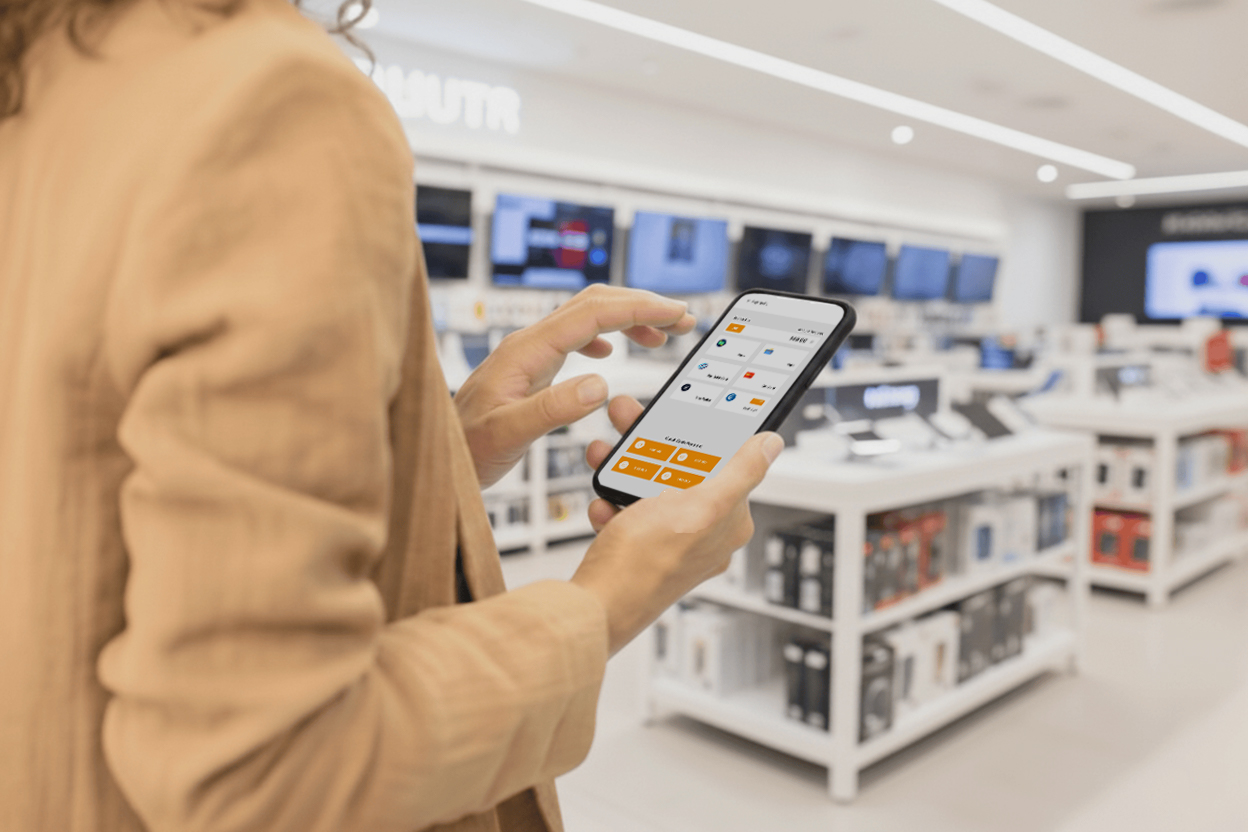
An affordable POS system is not simply the cheapest option on the market. It is a system that gives a business the right balance of cost, functionality, reliability, and room for growth. For many businesses in Kenya, affordability means being able to start with manageable costs while still getting the essential tools needed to run daily operations efficiently. A good affordable POS system should help the business save time, reduce errors, and improve control without creating unnecessary financial pressure.
1.1 Low Upfront Hardware Cost
One of the main things that makes a POS system affordable is the ability to keep initial hardware costs low. Many small and growing businesses cannot afford expensive full-counter setups from the beginning, so flexible hardware options are very important.
- Use of existing devices – Some POS systems can run on devices the business already owns, such as smartphones, tablets, or laptops.
- Lower startup investment – Businesses do not always need to buy expensive terminals, especially when starting out.
- Flexible hardware options – Owners can begin with basic tools and add printers, scanners, or drawers later as needed.
- Better access for small businesses – This makes POS technology more practical for startups, kiosks, boutiques, cafés, and service businesses.
Lower hardware costs make it easier for businesses to adopt a POS system without putting too much pressure on their cash flow.
1.2 Flexible Pricing Models
Affordable POS systems often use flexible pricing models that reduce the burden of large one-time payments. This is especially useful for businesses that want predictable monthly costs instead of a heavy upfront investment.
- Monthly subscriptions – Businesses can spread costs over time rather than paying everything at once.
- Tiered pricing plans – Owners can choose a package that matches their current size and needs.
- Lower financial risk – A subscription model makes it easier to start small and adjust later.
- Budget-friendly planning – Predictable recurring costs help with financial management.
This type of pricing makes professional POS systems more accessible to businesses that need control over spending.
1.3 Essential Features Without Unnecessary Complexity
A POS system becomes more affordable when it includes the features a business truly needs without forcing it to pay for tools it may never use. Many businesses only need strong core functions to operate efficiently.
- Sales processing – The system should handle transactions quickly and accurately.
- Inventory tracking – Businesses need to monitor stock movement and availability.
- Basic reporting – Sales, stock, and profit reports help owners understand performance.
- Simple operation – A less complicated system reduces training time and support needs.
By focusing on the essentials, businesses get value from the system without paying for unnecessary complexity.
1.4 Scalability and Upgrade Potential
A truly affordable POS system should not only be affordable today, but also remain cost-effective as the business grows. Scalability is important because it allows a business to start with a basic setup and upgrade over time instead of replacing the entire system later.
- Start small – Businesses can begin with core features and a simple setup.
- Upgrade when needed – More tools can be added as operations expand.
- Avoid replacement costs – A scalable system reduces the need to switch platforms later.
- Supports long-term value – The business continues benefiting from the same system as it grows.
This makes the POS investment more sustainable and more valuable in the long run.
What makes a POS system affordable is not just the price tag, but the value it delivers. An affordable POS system keeps upfront hardware costs low, offers flexible pricing, provides essential features without unnecessary complexity, and gives businesses room to grow over time. In this sense, affordable does not mean cheap—it means practical, efficient, and cost-effective for the business both now and in the future.
2. Cost of Affordable POS Systems in Kenya

The cost of an affordable POS system in Kenya depends on several factors, including the type of software, whether hardware is included, whether the system is cloud-based or locally installed, and the level of features needed by the business. A small kiosk, boutique, pharmacy, café, or supermarket will not all need the same setup, so pricing can vary widely. What matters most is not just the starting price, but what the business is actually getting for that cost in terms of functionality, reliability, support, and long-term value.
For small and medium-sized businesses, the Kenyan market offers several cost levels. Some businesses only need a basic software package to record sales and manage stock, while others need a full setup with touchscreen terminals, scanners, printers, payment integration, and reporting dashboards. Understanding these cost categories helps business owners choose a system that fits both their budget and operational needs.
2.1 Basic POS Software Can Cost as Low as Ksh 13,000 – Ksh 35,000 for Small Businesses
Basic POS software is usually the most affordable entry point for businesses that want to move away from manual sales books, handwritten receipts, or simple spreadsheet records. This category is often suitable for small shops, mini-marts, boutiques, cosmetic stores, salons, mobile vendors, and other small enterprises that mainly need core functionality without a complex setup.
At this level, the software typically focuses on the most essential business functions. These include recording sales, managing a basic product list, tracking stock movement, and producing simple business reports. For many small businesses, this is enough to create structure and improve daily operations without requiring a major investment.
What businesses usually fall in this range include:
- Sales processing tools that allow cashiers or owners to record transactions faster and more accurately.
- Basic product and inventory setup for adding items, prices, and stock quantities.
- Simple reports showing daily sales, stock balance, and in some cases profit estimates.
- User-friendly interfaces that are easier for staff to learn, especially in businesses with limited technical experience.
- Lower training requirements because the system is often less complex than larger enterprise POS platforms.
The lower end of this price range is often ideal for businesses with a small number of products or a single sales point. The higher end may include added features such as barcode support, better reporting, customer management, or more polished interfaces.
This pricing category is attractive because it gives small businesses an affordable way to professionalize their operations. Instead of waiting until they can afford a more advanced system, they can start with basic software and immediately benefit from better recordkeeping, improved pricing accuracy, and reduced losses from manual errors.
2.2 Cloud-Based POS Systems Typically Range from Ksh 30,000 to Ksh 55,000, depending on Features
Cloud-based POS systems are generally more advanced than basic offline software because they are built to give businesses greater flexibility, real-time access to information, and easier scalability. In many cases, they are well-suited for businesses that want to monitor operations remotely, manage more than one branch, or access reports from a phone, tablet, or laptop from any location.
The reason cloud-based systems cost more is that they often provide stronger business control and more automation. They do not just process sales; they also help business owners track performance in real time, monitor stock across locations, and respond quickly to changes in the business.
Within the Ksh 30,000 – Ksh 55,000 range, pricing is often influenced by:
- The number of users who need access to the system.
- The number of branches or tills connected to the same platform.
- The quality of analytics and reporting tools is included.
- Payment integration options, such as card support or mobile money workflows.
- Inventory depth is especially useful for businesses with many SKUs or product variations.
- Cloud storage and remote dashboard access for owners and managers.
Cloud-based POS systems are especially useful for businesses such as supermarkets, restaurants, pharmacies, wholesalers, and growing retail chains because they make management more proactive. A business owner does not have to wait until the end of the day to check what happened in the shop. They can see sales trends, stock movement, and cashier activity in real time.
Another reason businesses choose this category is future readiness. Even if the upfront cost is higher than basic software, cloud systems are often easier to expand later. A business that starts with one outlet can gradually add more users, products, branches, and devices without replacing the entire system.
For many growing businesses in Kenya, this category offers a strong balance between affordability and long-term usefulness.
2.3 Hardware-Based POS Systems Can Range from Ksh 50,000 – Ksh 100,000 for Complete Setups
A hardware-based POS system usually refers to a more complete setup that includes both the software and the physical devices needed to run day-to-day operations efficiently. This is often the best option for businesses that want a full professional point-of-sale environment rather than relying on a phone, tablet, or existing computer.
This pricing range is common where the business requires a dedicated checkout station or multiple devices working together. It is often suitable for supermarkets, large retail stores, restaurants, pharmacies, electronics shops, hardware stores, and other businesses with heavy transaction volume or more demanding workflows.
A complete setup in this range may include:
- POS terminal or touchscreen monitor for entering and processing transactions.
- Receipt printer for generating customer receipts and transaction proof.
- Barcode scanner for faster checkout and more accurate stock management.
- Cash drawer for secure handling of cash payments.
- POS software license or subscription, depending on the provider.
- Payment terminal integration, where applicable.
- Installation and device configuration in some cases.
What pushes the cost higher within this range is usually the quality of the hardware, the size of the setup, and the level of business complexity. A small single-counter setup may fall closer to the lower end, while a more advanced system with better equipment, industry-specific features, or multiple sales points may move toward the upper end.
Although this category requires a larger investment, it often gives businesses stronger reliability and better operational performance. Dedicated hardware is usually more durable than improvised consumer devices, and it tends to work better in busy environments where systems must operate continuously throughout the day.
For businesses serving many customers daily, the higher upfront cost can be justified by gains in speed, stock accuracy, staff accountability, and customer service quality.
2.4 Basic Payment POS Devices Can Cost as Low as Ksh 10,000 – Ksh 12,000
Payment POS devices are often one of the most affordable ways for businesses to modernize transactions, especially if the business is not yet ready for a full integrated POS system. These devices are mainly used to accept electronic payments such as card payments, and in some cases, they complement mobile money or other digital payment workflows.
This price point is important for small businesses because it lowers the barrier to accepting non-cash payments. A business can begin improving customer convenience even before investing in a full sales and inventory platform.
At this level, businesses often benefit from:
- Affordable access to electronic payments, which is important as more customers prefer cashless transactions.
- Improved customer convenience, especially in urban areas where card and mobile transactions are increasingly common.
- Better transaction security compared to handling only cash.
- A professional business image, since customers often trust businesses that provide multiple payment options.
These devices are useful in small retail shops, restaurants, service businesses, pharmacies, fuel stations, and even mobile businesses. They may not offer full stock control or advanced reporting on their own, but they are a practical and budget-friendly step toward digital business operations.
For some businesses, a payment device is only part of the setup. For others, it serves as a starting point before moving to a more complete POS environment later.
Why These Price Options Matter for Kenyan Businesses
The availability of different pricing levels is important because not every business in Kenya has the same budget, transaction volume, or operational complexity. A startup may only need simple software and one payment device, while a busy supermarket may need a full integrated hardware and software solution.
The main advantage of these cost tiers is that they give businesses room to choose a system based on:
- the size of the business,
- the number of products handled,
- the preferred payment methods,
- the number of staff using the system,
- and future growth plans.
This flexibility helps business owners avoid two costly mistakes: buying a system that is too expensive for their current needs or choosing one that is too weak to support their operations properly.
Affordable POS systems in Kenya are available at different price points depending on the type of solution required. Basic POS software can cost between KSh 13,000 and KSh 35,000, making it a practical option for small businesses that need essential tools for sales and stock management. Cloud-based POS systems typically range from Ksh 30,000 to Ksh 55,000 and are ideal for businesses that want remote access, real-time reporting, and better scalability
3. Types of Affordable POS Systems

Affordable POS systems in Kenya come in different forms depending on how a business operates, its budget, and its growth plans. Understanding these types helps business owners choose a system that fits their daily workflow without overspending. Each type offers a different balance between cost, flexibility, and performance.
3.1 Mobile POS Systems (mPOS)
Mobile POS systems (mPOS) are among the most affordable and flexible options available, especially for small and informal businesses. These systems run on smartphones or tablets, eliminating the need for expensive hardware.
- Runs on mobile devices – Businesses can use existing phones or tablets, reducing startup costs significantly.
- Portable and flexible – Ideal for businesses that operate on the move such as kiosks, pop-up shops, delivery services, and market vendors.
- Minimal hardware requirements – May only require a small printer or payment device if needed.
- Quick setup – Easy to install and start using without complex technical processes.
mPOS systems are particularly suitable for small shops, kiosks, cafés, salons, and startups that want a simple and cost-effective way to handle sales. However, they may have limitations in handling very large inventories or high transaction volumes.
3.2 Cloud-Based POS Systems
Cloud-based POS systems offer a more advanced yet still affordable solution for businesses that need flexibility and real-time visibility. These systems are accessed through internet browsers or apps and store data online rather than on a single device.
- Accessible anywhere – Business owners can monitor sales, stock, and reports from any location.
- Subscription-based pricing – Reduces the need for large upfront payments.
- Real-time data synchronization – Ensures all devices and branches stay updated.
- Scalable structure – Businesses can add more users, products, or locations as they grow.
Cloud POS systems are ideal for growing businesses such as supermarkets, restaurants, pharmacies, and retail chains that need better control and flexibility. While they depend on internet connectivity, many offer offline modes to maintain operations during outages.
3.3 Basic Hardware POS Systems
Basic hardware POS systems are more traditional setups that include dedicated equipment such as a computer, receipt printer, and cash drawer. Although they require a higher upfront investment, they offer more stability and are better suited for high-traffic environments.
- Dedicated hardware setup – Includes desktop or touchscreen system, printer, scanner, and cash drawer.
- Reliable performance – Designed to handle continuous use in busy businesses.
- Better for high volume sales – Suitable for supermarkets, wholesale shops, and busy retail stores.
- Stronger inventory control – Handles large product databases more effectively.
These systems are ideal for businesses that prioritize speed, durability, and structured operations. While the cost is higher initially, they often deliver better long-term value for businesses with heavy daily transactions.
Affordable POS systems in Kenya fall into three main categories: mobile POS systems, cloud-based POS systems, and basic hardware POS systems. Mobile POS is the most cost-effective and flexible option for small businesses, while cloud-based systems offer scalability and remote access for growing enterprises. Hardware-based systems require a higher upfront investment but provide strong performance for busy retail environments. By understanding these options, businesses can choose a POS system that balances affordability, functionality, and long-term growth.
4. Key Features to Look for in an Affordable POS
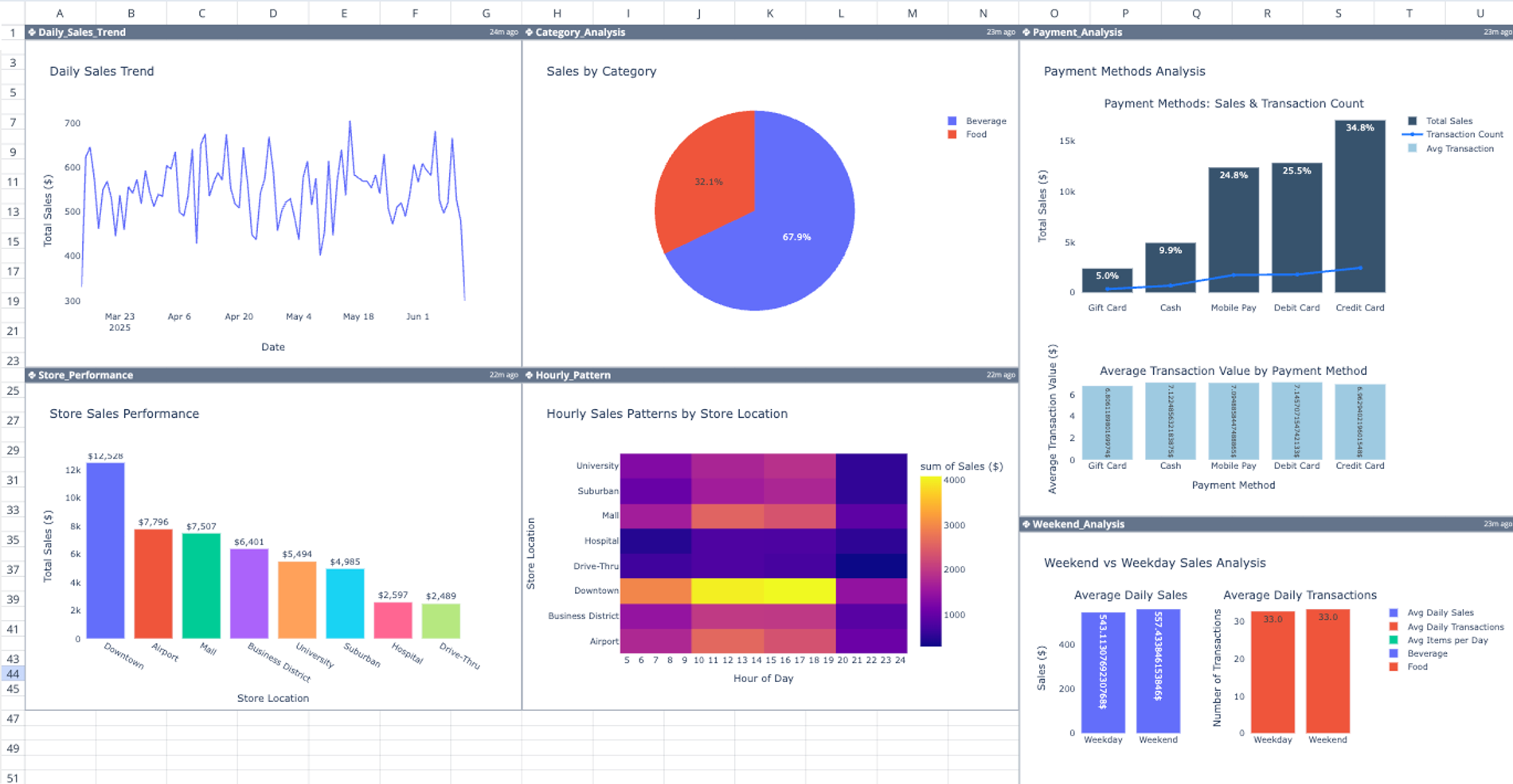
When choosing an affordable POS system, the goal is not just to save money, but to ensure the system delivers all the essential tools needed to run the business efficiently. A good affordable POS should cover core operations such as sales, stock management, reporting, and payments without unnecessary complexity. These features form the foundation of a reliable and practical system for businesses in Kenya.
4.1 Sales and Transaction Management
Sales and transaction management is the core function of any POS system. Without it, the system cannot serve its primary purpose of handling daily business operations.
- Fast checkout process – Enables quick scanning or selection of products to reduce queues.
- Accurate pricing and billing – Ensures correct totals, taxes, and discounts are applied automatically.
- Transaction records – Keeps a detailed history of all sales for tracking and accountability.
- Support for different sale types – Handles walk-in sales, bulk purchases, and returns efficiently.
A strong transaction system improves speed, reduces human error, and enhances customer satisfaction.
4.2 Inventory Tracking and Stock Control
Inventory management is one of the most valuable features in a POS system, especially for retail and product-based businesses.
- Real-time stock updates – Automatically reduces stock when a sale is made.
- Stock alerts – Notifies when items are running low to prevent stockouts.
- Product organization – Categorizes items for easier management and faster checkout.
- Loss prevention – Helps identify discrepancies, theft, or mismanagement.
Good inventory control reduces losses, improves planning, and ensures products are always available when needed.
4.3 Reporting and Analytics for Business Insights
Reporting and analytics transform raw sales data into meaningful insights that help business owners make better decisions.
- Sales reports – Track daily, weekly, and monthly performance.
- Profit analysis – Understand margins and identify high-performing products.
- Stock reports – Monitor inventory movement and product demand.
- Trend analysis – Identify patterns to improve pricing, promotions, and purchasing decisions.
These insights help businesses grow strategically rather than operating blindly.
4.4 Multi-Payment Support
A modern POS system must support multiple payment methods to meet customer expectations in Kenya.
- Cash payments – Still widely used and must be supported.
- Card payments – Enables debit and credit card transactions.
- Mobile money integration – Supports M-Pesa and similar services, which are essential in Kenya.
- Automatic reconciliation – Records all payment types accurately for financial tracking.
Multi-payment support improves convenience for customers and increases sales opportunities.
4.5 User-Friendly Interface for Easy Staff Training
Ease of use is a critical feature, especially for businesses with multiple staff members or high employee turnover.
- Simple navigation – Staff can learn the system quickly with minimal training.
- Reduced errors – Clear layouts help prevent mistakes during transactions.
- Faster onboarding – New employees can start using the system almost immediately.
- Improved efficiency – Staff can work confidently and serve customers faster.
A user-friendly system ensures smooth daily operations and reduces reliance on constant technical support.
An affordable POS system should include essential features such as sales management, inventory tracking, reporting, multi-payment support, and a user-friendly interface. These features ensure that the business can operate efficiently, reduce errors, and make informed decisions. Even at a lower cost, a POS system should deliver real value by covering all core business functions and supporting long-term growth.
5. Businesses That Benefit from Affordable POS Systems
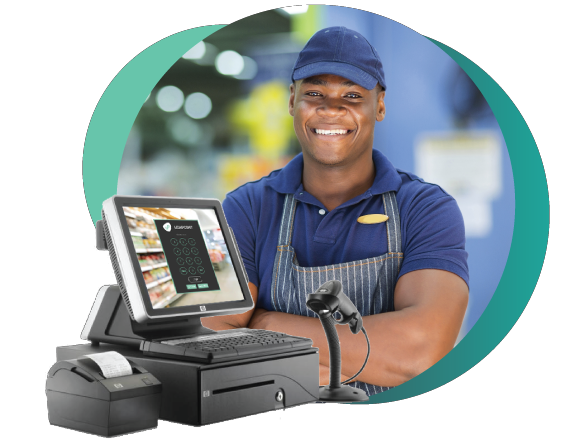
Affordable POS systems are designed to meet the needs of a wide range of businesses, especially those that want to improve operations without making a large upfront investment. From small retail shops to growing enterprises, these systems provide essential tools for managing sales, inventory, payments, and customer interactions efficiently.
5.1 Small Retail Shops and Minimarts
Small retail shops and minimarts are among the biggest beneficiaries of affordable POS systems because they deal with frequent daily transactions and inventory management challenges.
- Sales tracking – Records every transaction accurately, reducing reliance on manual bookkeeping.
- Stock control – Helps monitor product levels and avoid stockouts or overstocking.
- Faster checkout – Improves customer experience by reducing queues.
- Loss reduction – Minimizes errors and theft through better tracking.
For small retailers, an affordable POS system brings structure and professionalism to daily operations without requiring a large investment.
5.2 Restaurants, Cafés, and Food Vendors
Food businesses operate in fast-paced environments where speed and accuracy are critical. Affordable POS systems help streamline order handling and payment processing.
- Order management – Captures and processes orders quickly and accurately.
- Billing efficiency – Reduces delays during peak hours.
- Payment flexibility – Supports cash, card, and mobile money transactions.
- Sales tracking – Helps monitor daily revenue and popular menu items.
These systems enable restaurants and cafés to deliver better service while maintaining control over operations.
5.3 Salons, Barbershops, and Service Businesses
Service-based businesses benefit from POS systems that go beyond simple sales to include customer and service management features.
- Customer records – Stores client details, preferences, and service history.
- Appointment tracking – Helps manage bookings and schedules.
- Service billing – Ensures accurate pricing and payment tracking.
- Performance monitoring – Tracks staff productivity and service demand.
Affordable POS systems help service businesses stay organized and deliver consistent customer experiences.
5.4 Startups and SMEs Looking to Scale Efficiently
Startups and small-to-medium enterprises (SMEs) need systems that support growth without overwhelming their budgets. Affordable POS systems provide a strong foundation for scaling operations.
- Low entry cost – Allows businesses to start with minimal investment.
- Scalable features – Systems can grow as the business expands.
- Better decision-making – Provides insights through reports and analytics.
- Operational efficiency – Helps streamline processes from the beginning.
For startups, adopting a POS system early creates a structured and scalable business model.
Affordable POS systems are ideal for small retail shops, restaurants, service businesses, and growing startups in Kenya. These systems help improve efficiency, streamline operations, and enhance customer experience without requiring heavy investment. By adopting an affordable POS solution, businesses can build a strong operational foundation and scale effectively over time.
6. Benefits of Using an Affordable POS System
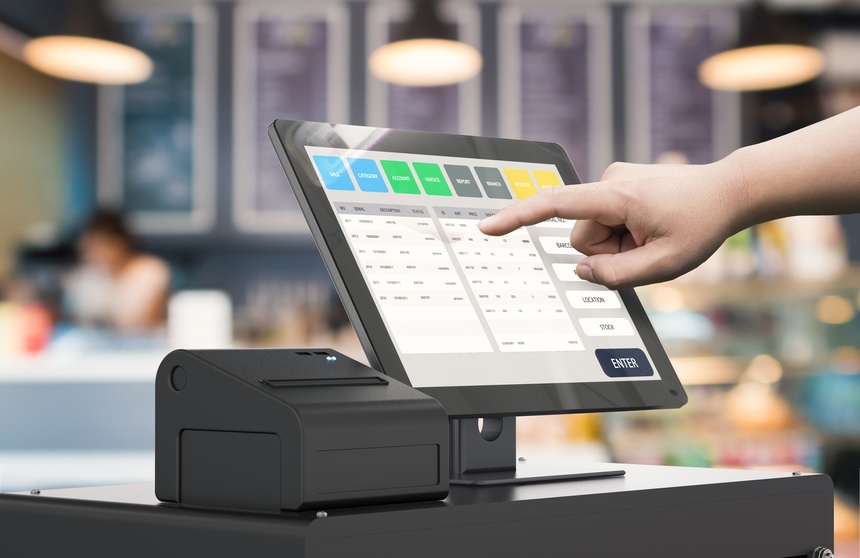
An affordable POS system delivers practical, day-to-day advantages that go beyond just recording sales. It helps businesses operate faster, more accurately, and with better visibility into their performance. Even at a lower cost, a well-chosen POS system can significantly improve efficiency, reduce losses, and enhance the overall customer experience.
6.1 Improves Efficiency in Handling Sales and Transactions
Efficiency is one of the most immediate benefits of using a POS system. Compared to manual methods such as handwritten receipts or calculators, a POS system automates the entire sales process.
- Faster transactions – Products can be scanned or selected quickly, reducing queues.
- Automated calculations – Totals, taxes, and discounts are calculated instantly.
- Streamlined workflow – Reduces repetitive tasks and simplifies daily operations.
- Higher productivity – Staff can serve more customers in less time.
This improved efficiency allows businesses to handle more sales while maintaining accuracy and consistency.
6.2 Reduces Human Errors Compared to Manual Systems
Manual systems are prone to mistakes such as incorrect pricing, miscalculated totals, or inaccurate stock records. A POS system minimizes these risks by automating key processes.
- Accurate pricing – Products are preloaded with correct prices, reducing guesswork.
- Error-free calculations – Eliminates mistakes in totals, change, and taxes.
- Consistent records – Every transaction is recorded automatically and reliably.
- Improved accountability – Tracks who performed each transaction.
Reducing errors not only protects revenue but also builds trust with customers.
6.3 Provides Real-Time Insights into Sales and Inventory
Affordable POS systems give business owners access to valuable data that helps them understand how their business is performing.
- Live sales tracking – Monitor revenue as it happens throughout the day.
- Inventory visibility – Know what is in stock, what is selling fast, and what needs restocking.
- Performance insights – Identify best-selling products and peak sales periods.
- Better decision-making – Use data to plan purchases, pricing, and promotions.
These insights allow businesses to move from guesswork to informed decision-making.
6.4 Enhances Customer Service With Faster Checkout Processes
Customer experience is directly affected by how quickly and smoothly transactions are handled. A POS system helps create a more professional and efficient service environment.
- Reduced waiting time – Faster checkout leads to shorter queues.
- Smooth transactions – Fewer errors mean fewer disputes with customers.
- Multiple payment options – Customers can pay using cash, card, or mobile money.
- Professional service – Digital receipts and organized processes improve business image.
Better service increases customer satisfaction and encourages repeat business.
An affordable POS system improves efficiency, reduces human errors, provides real-time business insights, and enhances customer service. These benefits make it a valuable tool for businesses in Kenya looking to modernize operations without a large investment. By adopting a POS system, businesses can operate more smoothly, make better decisions, and deliver a better experience to their customers.
7. Challenges to Consider
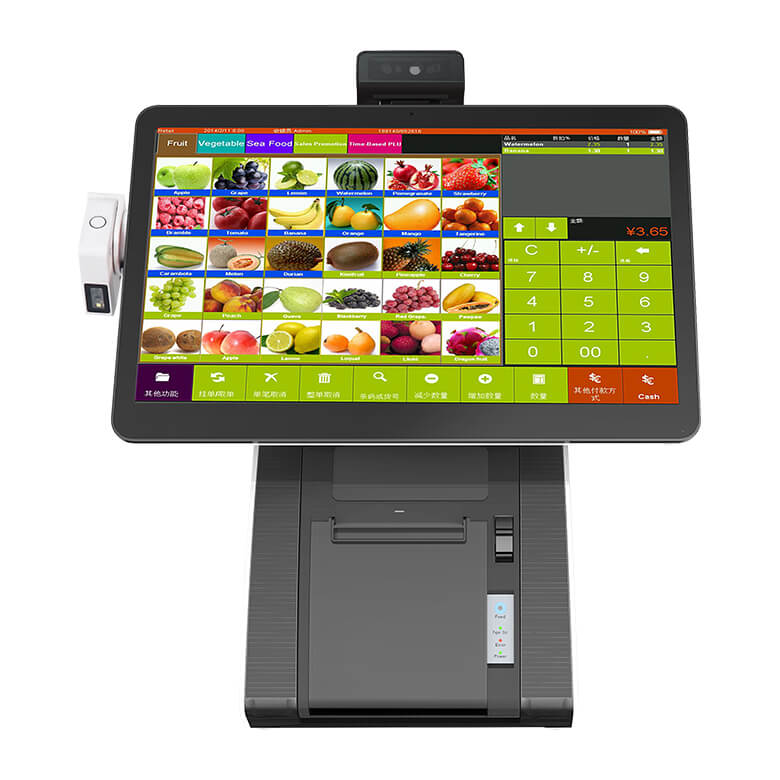
While affordable POS systems offer many advantages, businesses should also be aware of potential limitations. Understanding these challenges helps you make better decisions, avoid future disruptions, and choose a system that balances cost with long-term value.
7.1 Limited Advanced Features in Very Low-Cost Systems
Very low-cost POS systems often focus only on basic functionality, which may not be enough as your business becomes more complex.
- Basic reporting only – Limited insights compared to advanced systems.
- Fewer integrations – May not support advanced tools like CRM or accounting systems.
- Restricted customization – Difficult to tailor workflows for specific business needs.
- Feature gaps – Missing capabilities such as multi-branch management or advanced analytics.
While these systems are good for starting out, businesses may outgrow them quickly if growth is not considered.
7.2 Dependence on Internet for Cloud-Based Systems
Cloud-based POS systems rely heavily on internet connectivity, which can be a challenge in some areas.
- Transaction delays – Slow internet can affect checkout speed.
- System downtime – Connectivity issues may interrupt operations.
- Data synchronization delays – Reports and stock updates may lag.
- Payment disruptions – Card and mobile money transactions may fail temporarily.
Businesses need stable internet or backup options to ensure consistent performance.
7.3 Potential Upgrade Costs as Business Grows
As your business expands, your POS system requirements may also increase, leading to additional costs.
- Feature upgrades – Advanced tools may require higher subscription plans.
- More users or devices – Adding staff or branches increases system costs.
- Hardware expansion – Additional terminals, printers, or scanners may be needed.
- System migration risks – Switching systems later can be costly and disruptive.
Planning for scalability early helps reduce unexpected expenses in the future.
7.4 Need for Proper Setup and Training for Best Results
Even an affordable POS system requires proper setup and staff training to deliver full value.
- Incorrect configuration – Poor setup can lead to errors in pricing, tax, or inventory.
- Staff mistakes – Lack of training may cause slow service and incorrect transactions.
- Underutilized features – Businesses may not take advantage of all system capabilities.
- Operational inefficiencies – Improper use reduces the system’s effectiveness.
Investing in proper installation and training ensures the system performs as expected.
Affordable POS systems come with certain challenges, including limited features in low-cost options, reliance on internet connectivity, potential upgrade costs, and the need for proper setup and training. By understanding these factors, businesses can make informed decisions, choose the right system, and avoid common pitfalls while still benefiting from improved efficiency and growth.
8. Why Choose Tiwi POS for Affordable POS Systems in Kenya

Choosing the right POS provider is just as important as choosing the system itself. A reliable provider ensures that the system is not only affordable, but also properly installed, configured, and supported over time. Tiwi POS stands out by offering practical, business-focused solutions designed specifically for Kenyan businesses—whether small startups or growing enterprises.
8.1 Cost-Effective POS Solutions Tailored for Kenyan Businesses
Tiwi POS focuses on delivering solutions that match the realities of Kenyan businesses, where affordability and efficiency are both critical.
- Localized solutions – Designed to support common Kenyan business models such as retail, hospitality, and service businesses.
- M-Pesa integration support – Aligns with local payment preferences and customer behavior.
- Right-sized systems – Businesses only pay for what they need, avoiding unnecessary costs.
- Practical functionality – Focus on features that directly improve daily operations.
This ensures businesses get real value rather than just low pricing.
8.2 Flexible Pricing Suitable for Startups and Growing Enterprises
Flexibility in pricing is essential for businesses at different stages of growth, and Tiwi POS provides options that accommodate this.
- Affordable entry options – Ideal for startups and small businesses with limited budgets.
- Scalable pricing – Businesses can upgrade as they grow without replacing the system.
- Subscription or package options – Allows better financial planning and budgeting.
- Balanced cost vs value – Ensures businesses get strong functionality at a reasonable price.
This approach allows businesses to start small while planning for future expansion.
8.3 Complete Packages Including Software, Hardware, Installation, and Training
One of the biggest advantages of choosing Tiwi POS is the availability of complete, all-in-one packages.
- Software setup – Configured with products, pricing, reports, and user roles.
- Hardware supply and installation – Includes terminals, scanners, printers, and payment devices.
- System integration – Ensures all components work seamlessly together.
- Staff training – Prepares employees to use the system effectively from day one.
This eliminates the need to deal with multiple vendors and reduces the risk of setup errors.
8.4 Reliable Support to Ensure Smooth Operations After Installation
A POS system is a long-term investment, and ongoing support is essential to keep it running smoothly.
- Technical support – Quick assistance when issues arise.
- System maintenance – Helps keep the software and hardware functioning properly.
- Troubleshooting services – Resolves problems efficiently to minimize downtime.
- Operational continuity – Ensures businesses can continue serving customers without disruption.
Reliable support gives business owners confidence and peace of mind.
Tiwi POS is a strong choice for affordable POS systems in Kenya because it combines cost-effective solutions with flexibility, complete setup services, and reliable ongoing support. By offering tailored systems, scalable pricing, and full installation packages, Tiwi POS helps businesses operate efficiently while keeping costs manageable. This makes it an ideal partner for startups and growing businesses looking for long-term value and performance.
9. Tips for Choosing the Right Affordable POS

Choosing the right affordable POS system requires more than just comparing prices. Businesses need to focus on practicality, compatibility, and long-term value. The right choice should support daily operations efficiently while allowing room for growth without unnecessary costs or complexity.
9.1 Start With Essential Features and Upgrade Later
One of the best approaches when choosing an affordable POS system is to begin with the features you actually need and expand later.
- Focus on core functions – Start with sales processing, inventory tracking, and basic reporting.
- Avoid overpaying – Do not invest in advanced features that may not be used immediately.
- Easier adoption – Simpler systems are easier for staff to learn and use.
- Upgrade flexibility – Add more features such as analytics, CRM, or multi-branch management as the business grows.
This approach helps businesses control costs while still building a strong operational foundation.
9.2 Choose a System That Matches Your Business Size and Type
Different businesses have different needs, and choosing the wrong type of POS system can lead to inefficiencies.
- Retail businesses – Require strong inventory tracking and barcode scanning.
- Restaurants and cafés – Need order management, table tracking, and fast billing.
- Service businesses – Benefit from appointment scheduling and customer records.
- Business size matters – Small shops need simple systems, while larger businesses require more advanced setups.
Matching the POS system to your business type ensures better performance and usability.
9.3 Ensure Compatibility With Mobile Money and Local Payment Systems
In Kenya, payment flexibility is essential for customer convenience and business success.
- M-Pesa integration – A must-have feature for most Kenyan businesses.
- Card payment support – Enables debit and credit card transactions.
- Multiple payment options – Ensures customers can pay using their preferred method.
- Accurate reconciliation – Tracks all payment types automatically.
A POS system that supports local payment methods improves efficiency and increases sales opportunities.
9.4 Work With a Trusted Provider Like Tiwi POS
Working with a reliable provider ensures the system is installed correctly and performs well over time.
- Professional installation – Ensures proper setup of software, hardware, and network.
- System configuration – Aligns the POS with your business workflow.
- Training support – Helps staff learn how to use the system effectively.
- Ongoing assistance – Provides technical support and maintenance when needed.
Choosing a trusted provider reduces risks and ensures long-term reliability.
Choosing the right affordable POS system involves starting with essential features, selecting a system that fits your business type, ensuring compatibility with local payment methods, and working with a trusted provider like Tiwi POS. By following these tips, businesses in Kenya can invest in a POS system that is cost-effective, efficient, and capable of supporting long-term growth.
10. FAQs on Affordable POS Systems in Kenya
Affordable POS systems raise many practical questions for business owners, especially those adopting digital tools for the first time. Below are clear, detailed answers to help you understand costs, functionality, and what to expect when choosing a POS system in Kenya
10.1 What is the cheapest POS system in Kenya?
The cheapest POS systems in Kenya are usually basic software solutions designed for small businesses.
- Starting price – Around Ksh 13,000 depending on features and provider.
- Core functionality – Includes sales tracking, basic inventory, and simple reports.
- Best for – Small shops, kiosks, and startups.
- Limitations – May lack advanced features like multi-branch management or deep analytics.
These systems are ideal for businesses that want to digitize operations at a low cost.
10.2 Can I get a POS system without buying hardware?
Yes, many modern POS systems do not require dedicated hardware.
- Cloud-based systems – Can run on smartphones, tablets, or laptops.
- Lower startup cost – No need to buy expensive terminals.
- Flexibility – Ideal for mobile businesses or small setups.
- Optional hardware – You can add printers or scanners later if needed.
This makes POS systems more accessible for small and growing businesses.
10.3 Is a cheap POS system reliable?
Yes, affordable POS systems can be reliable if chosen carefully and set up correctly.
- Essential features matter – Sales, inventory, and reporting must function properly.
- Proper installation – Ensures all components work smoothly together.
- Good provider support – Helps resolve issues quickly.
- Scalability – Reliable systems allow upgrades as the business grows.
Affordability does not mean poor quality—it depends on value and proper setup.
10.4 Can small businesses use POS systems?
Yes, POS systems are specifically designed to support small businesses and startups.
- Affordable options available – Designed to fit limited budgets.
- Easy to use – Simple interfaces reduce training time.
- Improved organization – Helps manage sales and stock more efficiently.
- Growth support – Systems can scale as the business expands.
This makes POS systems a valuable tool for SMEs looking to grow.
10.5 Does POS support mobile money payments?
Yes, most modern POS systems in Kenya support mobile money integration.
- M-Pesa support – Enables fast and convenient payments.
- Automatic recording – Tracks transactions in real time.
- Multiple payment methods – Supports cash, card, and mobile money.
- Improved convenience – Meets customer expectations in Kenya.
Mobile money integration is a key feature for modern businesses.
10.6 How much does a full POS setup cost?
A full POS setup includes both software and hardware components.
- Typical range – Between Ksh 30,000 and Ksh 100,000 depending on setup.
- Includes hardware – Terminal, printer, scanner, and cash drawer.
- Feature variation – Costs increase with more advanced features.
- Business size factor – Larger businesses require more complex setups.
This range allows businesses to choose solutions based on their needs and budget.
10.7 Are there monthly fees for POS systems?
Some POS systems, especially cloud-based ones, require ongoing payments.
- Subscription fees – Paid monthly or annually.
- Feature-based pricing – Higher plans offer more tools and capabilities.
- Maintenance and updates – Often included in subscription packages.
- Budget planning – Predictable costs help manage expenses.
Businesses should choose a pricing model that fits their financial plan.
10.8 Can I upgrade my POS system later?
Yes, most modern POS systems are designed to grow with your business.
- Add features – Upgrade to advanced reporting or integrations.
- Expand users – Support more staff and devices.
- Multi-branch capability – Manage multiple outlets from one system.
- Long-term value – Avoid replacing the system as the business grows.
Scalability makes POS systems a long-term investment.
10.9 Do I need training to use a POS system?
Yes, basic training is recommended to ensure effective use of the system.
- Faster adoption – Staff learn how to use the system quickly.
- Reduced errors – Minimizes mistakes during transactions.
- Better efficiency – Improves speed and accuracy in daily operations.
- Confidence – Staff feel comfortable using the system.
Training ensures the business gets the full benefit of the POS system.
10.10 Why choose Tiwi POS?
Tiwi POS is a strong choice for businesses looking for affordable and reliable POS solutions in Kenya.
- Affordable solutions – Designed to fit different business budgets.
- Reliable systems – Ensures smooth and efficient operations.
- Scalable options – Supports business growth over time.
- Full support – Includes installation, training, and ongoing technical assistance.
This makes Tiwi POS a dependable partner for businesses seeking long-term value.
Affordable POS systems in Kenya are accessible, reliable, and suitable for businesses of all sizes. From low-cost software options to full hardware setups, businesses can choose solutions that match their needs and budgets. With features like mobile money integration, scalability, and reporting, POS systems provide strong operational support. By working with trusted providers like Tiwi POS, businesses can ensure proper setup, ongoing support, and long-term success.
Grow Smarter with Affordable POS Systems in Kenya

Affordable POS systems in Kenya are transforming how businesses operate by making it easier to digitize sales, manage inventory, and improve overall efficiency. With the rise of digital payments and automation, even small and medium-sized businesses can now access powerful tools that were once limited to large enterprises. These systems help reduce manual errors, streamline daily operations, and enhance customer experiences, allowing businesses to compete effectively in a fast-changing market.
From mobile POS solutions for small traders to complete hardware setups for supermarkets and restaurants, there is a wide range of options to suit different business needs and budgets. Choosing the right system ensures that businesses can track sales in real time, manage stock efficiently, and generate insightful reports for better decision-making. The key is finding a solution that balances affordability with functionality, ensuring long-term value without unnecessary costs.
Working with a trusted provider makes the process even more seamless. With Tiwi POS, businesses can access reliable, cost-effective solutions tailored to their needs while receiving professional support every step of the way. Visit Tiwi POS today to explore affordable POS solutions.