Best Property Management Software Demo in Kenya: Try Risk-Free & Find the Perfect System Today by Tiwi POS

Before investing in any property management system, requesting a demo is one of the smartest moves you can make. A demo allows landlords, property managers, and real estate companies to experience how the software works in real time—helping you assess usability, features, and overall value before committing. With guided demos from Tiwi POS, you can clearly see how automation simplifies rent collection, tenant management, reporting, and daily operations.
In Kenya, many providers now offer free demos or trial versions, making it easier to compare different systems and find the best fit for your property portfolio. Integration with M-Pesa ensures you can test real-world payment workflows, while cloud-based access allows you to explore system functionality from anywhere. Tiwi POS demos are designed to be practical and informative, giving you hands-on experience so you can confidently evaluate performance, scalability, and ease of use.
This guide explains what to expect from a property management software demo in Kenya, where to request one, and how to make the most of your trial. Whether you manage a few rental units or a large portfolio, Tiwi POS provides interactive demos that help you make informed decisions, avoid costly mistakes, and choose a solution that truly supports your business growth.
1. What Is a Property Management Software Demo?

A property management software demo is a guided introduction to how a property management system (PMS) works in real-world scenarios. It is designed to give landlords, agents, and property managers a clear understanding of the system’s features, usability, and overall value before making a purchase decision. Instead of relying on descriptions or marketing claims, a demo allows you to see the system in action—how it handles rent collection, tenant records, reporting, and daily operations.
In Kenya’s property market, where efficiency and accuracy are becoming increasingly important, demos play a critical role in helping users choose the right system. They bridge the gap between theory and practice by showing exactly how the software will function within your workflow. A good demo not only highlights features but also demonstrates how those features solve real property management challenges.
1.1 A Demo Is a Live or Recorded Walkthrough of a Property Management System
A demo typically involves a step-by-step walkthrough of the software interface and its core functionalities.
- Live Demonstrations – Conducted in real time by a representative who explains features and answers questions.
- Recorded Demos – Pre-recorded videos that showcase how the system works at your convenience.
- Guided Navigation – Shows how to move through dashboards, menus, and key tools.
- Feature Demonstration – Highlights how different functions operate within the system. This gives users a practical understanding of how the system looks and feels during actual use.
A demo is a guided walkthrough that helps you understand how a PMS operates in real-world scenarios.
1.2 It Shows How Features Like Rent Collection, Reporting, and Tenant Management Work
One of the main purposes of a demo is to demonstrate how key features function in practice.
- Rent Collection – Shows how payments are recorded, tracked, and monitored.
- Tenant Management – Demonstrates how tenant details, leases, and communication are handled.
- Reporting Tools – Displays how financial and operational reports are generated.
- Workflow Processes – Explains how tasks such as invoicing and reminders are automated. Seeing these features in action helps users evaluate whether the system meets their needs.
A demo provides a clear view of how essential PMS features work in daily property management.
1.3 Can Be Conducted via Video Call, In-Person Session, or Online Platform
Demos are flexible and can be delivered through different formats depending on user preference.
- Video Call Demos – Conducted remotely through platforms like Zoom or Google Meet.
- In-Person Sessions – Offered by some providers for hands-on demonstrations.
- Online Self-Guided Demos – Interactive demos available directly on the provider’s website.
- Flexible Scheduling – Users can choose a time and format that suits them. This flexibility makes it easy for users to access demos regardless of location.
PMS demos are accessible through multiple formats, making them convenient for all users.
1.4 Often Includes Access to a Trial Account or Test Environment
Many demos go beyond explanation by allowing users to interact with the system directly.
- Trial Accounts – Temporary access to the system to explore features independently.
- Test Environment – A simulated setup where users can try out functionalities without affecting real data.
- Hands-On Experience – Users can practice tasks such as adding tenants or recording payments.
- Better Evaluation – Helps determine if the system is easy to use and meets expectations. This hands-on approach gives users confidence before committing to a purchase.
Trial access enhances demos by allowing users to test the system in a real or simulated environment.
A property management software demo is an essential step in choosing the right PMS. It provides a practical, hands-on understanding of how the system works, showcases key features like rent collection and reporting, and allows users to evaluate usability through live sessions or trial access. For landlords and property managers in Kenya, a demo is not just an introduction—it is a critical decision-making tool that ensures the system fits their specific needs and operational goals.
2. Why Request a Demo Before Buying
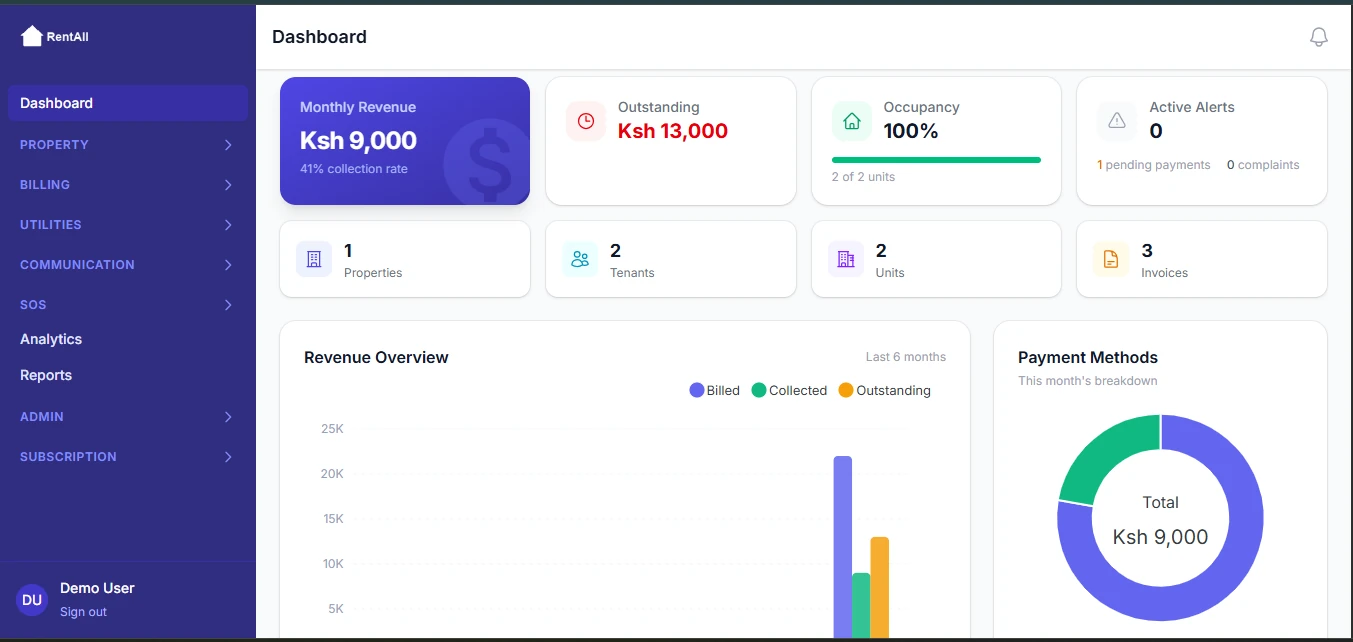
Requesting a demo before buying property management software is one of the most important steps in making the right decision. While brochures, websites, and sales descriptions may highlight features, a demo allows you to see how the system actually works in practice. It gives you a real-world view of how the software will handle your daily operations—something that cannot be fully understood through text alone.
In Kenya, where property management needs vary from small landlords to large real estate firms, demos help bridge the gap between expectations and reality. They allow you to test usability, confirm integrations like M-Pesa, and compare different platforms side by side. Ultimately, a demo reduces risk and ensures that you invest in a system that truly fits your workflow.
2.1 To See How the System Handles Your Real-Life Property Operations
A demo allows you to evaluate how the software performs in practical scenarios.
- Real-World Simulation – See how tasks like rent collection, tenant management, and reporting are handled.
- Workflow Testing – Understand how daily operations are executed within the system.
- Use Case Alignment – Check whether the system matches your specific property management needs.
- Operational Efficiency – Identify how much time and effort the system can save. This helps you determine whether the software is suitable for your type of property portfolio.
A demo shows how the system performs in real-life situations, helping you assess its practical value.
2.2 To Evaluate Ease of Use and User Interface
Usability is critical when choosing a property management system.
- User Interface Design – Assess how clean, organized, and intuitive the system looks.
- Navigation Simplicity – Check how easy it is to move between features and tasks.
- Learning Curve – Determine how quickly you or your staff can learn to use the system.
- Error Reduction – A simple interface minimizes mistakes during daily operations. A system that is difficult to use can slow down operations instead of improving them.
A demo helps you evaluate whether the system is user-friendly and easy to adopt.
2.3 To Confirm Compatibility with M-Pesa and Local Payment Systems
In Kenya, payment integration is a key requirement for any PMS.
- M-Pesa Integration Check – Confirm that the system supports mobile money payments.
- Payment Workflow – See how payments are processed and recorded.
- Automation Level – Evaluate whether payments are tracked automatically.
- Local Compatibility – Ensure the system aligns with Kenyan payment practices. This step is essential for smooth rent collection and financial management.
A demo helps verify that the system supports M-Pesa and local payment integrations.
2.4 To Compare Different Software Options Before Making a Decision
A demo allows you to make informed comparisons between different PMS platforms.
- Feature Comparison – Evaluate which system offers the best tools for your needs.
- Performance Assessment – Compare speed, responsiveness, and usability.
- Value Analysis – Determine which system provides the best balance between cost and features.
- Decision Confidence – Reduces uncertainty by providing clear insights into each option. Comparing demos helps you avoid choosing a system that may not fully meet your expectations.
Demos make it easier to compare options and choose the best PMS for your needs.
Requesting a demo before buying property management software is essential for making an informed decision. It allows you to test real-life functionality, evaluate usability, confirm M-Pesa integration, and compare different platforms. For property managers and landlords in Kenya, demos provide clarity, reduce risk, and ensure that the chosen system delivers the efficiency and value required for successful property management.
3. Property Management Software in Kenya Offering Demos
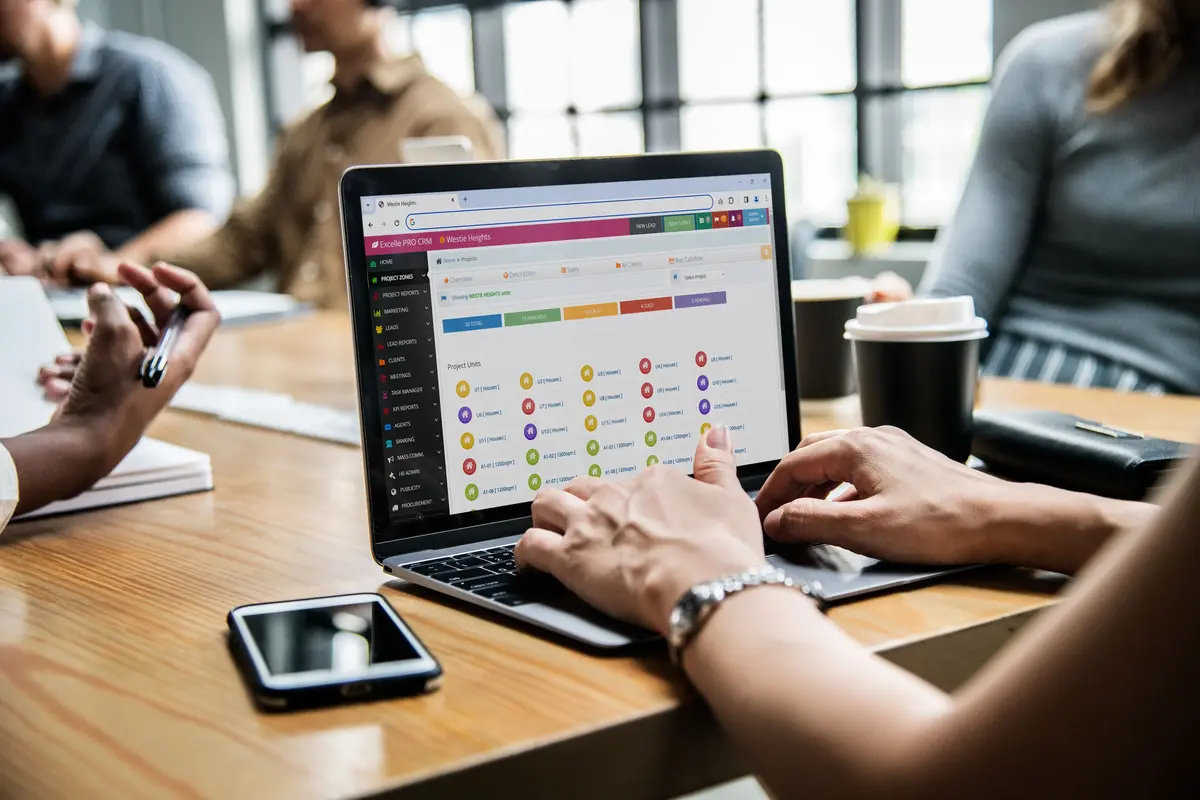
In Kenya, many property management software providers offer demos and free trials to help landlords, agents, and property companies evaluate their systems before making a purchase. These demos are especially important because they allow users to see how features like rent collection, reporting, tenant management, and automation work in real time.
Each platform has its own strengths—some focus on simplicity and affordability, while others provide advanced enterprise-level tools. By exploring demos from multiple providers, users can compare usability, features, and performance to find the best fit for their property management needs.
3.1 Nyumba Zetu property management system
Nyumba Zetu is a modern cloud-based PMS designed specifically for the Kenyan market, offering strong financial tracking and automation capabilities.
- Free Demo Access – Provides guided demos that showcase rent collection, accounting, and tenant management workflows.
- Real-Time Dashboards – Demonstrates live analytics, payment tracking, and property performance insights.
- User Experience Focus – Highlights ease of use and intuitive navigation during demos.
- Modern Cloud System – Accessible from anywhere with real-time updates and reporting. This system is ideal for landlords and property managers looking for a modern, data-driven platform.
Nyumba Zetu offers comprehensive demos that highlight automation, analytics, and ease of use for modern property management.
3.2 Bomahut property management system
Bomahut focuses on simplicity and automation, making it a popular choice for small to medium property owners.
- Demo and Free Trial Options – Allows users to test the system through demos and limited trial access.
- Automation Features – Demonstrates tools such as rent reminders, invoicing, and reporting automation.
- User-Friendly Interface – Designed to be easy to navigate and quick to adopt.
- Efficient Workflows – Shows how daily property management tasks are simplified. This platform is suitable for landlords who want a balance between affordability and functionality.
Bomahut demos emphasize simplicity and automation, making it ideal for growing property portfolios.
3.3 Paystar Africa Property Management System
Paystar Africa offers flexible solutions for different types of property management needs.
- Demo Access on Request – Users can request demo links to explore the platform’s capabilities.
- Core Features Showcase – Demonstrates invoicing, rent tracking, and reporting tools.
- Multi-Sector Support – Suitable for residential, commercial, and short-term rental management.
- Flexible Use Cases – Highlights adaptability across different property types. This system is useful for users managing diverse property portfolios.
Paystar Africa provides versatile demos suitable for multiple property management scenarios.
3.4 Focus REMS (Real Estate Management Software)
Focus REMS is an enterprise-level solution designed for large-scale real estate operations.
- Free Product Demos – Offers detailed demonstrations tailored to enterprise users.
- Advanced Features – Showcases CRM tools, lease management, and in-depth analytics.
- Scalable System – Designed to handle complex property portfolios and multiple users.
- Professional Implementation – Demonstrates structured workflows and enterprise-grade functionality. This system is best suited for large real estate firms and developers.
Focus REMS demos highlight advanced capabilities for large-scale and enterprise property management.
3.5 EazzyRent Property Management Software
EazzyRent provides flexible and accessible solutions for landlords and property agents.
- Free Trials and Demos – Allows users to test the system before committing to a plan.
- Feature Exploration – Demonstrates rent collection, tenant management, and reporting tools.
- Flexible Pricing Plans – Users can explore different packages during the demo.
- Scalable System – Suitable for managing multiple units and growing portfolios. This platform is ideal for landlords and agents looking for a flexible and scalable PMS.
EazzyRent offers practical demos and trial access, making it easy to evaluate its features and scalability.
Several property management software providers in Kenya—including Nyumba Zetu property management system, Bomahut property management system, Paystar Africa Property Management System, Focus REMS (Real Estate Management Software), and EazzyRent Property Management Software—offer demos and trial options to help users make informed decisions.
These demos provide valuable insights into system functionality, usability, and scalability, allowing landlords and property managers to choose software that best fits their operational needs.
4. What to Expect During a Demo

A property management software demo is more than just a presentation—it is a practical walkthrough designed to show how the system performs in real-world scenarios. During a demo, you should expect to see how the software handles daily property management tasks, from tracking rent payments to managing tenants and generating reports.
For landlords and property managers in Kenya, a good demo should closely reflect actual operations. It should not only explain features but also demonstrate how those features work together to improve efficiency, reduce errors, and simplify management. Below is a detailed breakdown of what you should expect during a typical PMS demo.
4.1 Dashboard Overview – View Property Performance, Occupancy, and Finances
The demo usually begins with an overview of the system dashboard, which acts as the control center.
- Performance Snapshot – Displays key metrics such as income, occupancy rates, and outstanding payments.
- Visual Data – Charts and graphs provide quick insights into property performance.
- Centralized Information – All important data is accessible from one screen.
- Real-Time Updates – Information is updated instantly as transactions occur. This gives you a clear understanding of how the system presents and organizes information.
The dashboard overview shows how easily you can monitor and manage your property portfolio.
4.2 Rent Collection Process – See How Invoices, Reminders, and Payments Work
Rent collection is one of the most critical functions demonstrated during a PMS demo.
- Invoice Generation – Shows how rent invoices are created automatically or manually.
- Payment Tracking – Demonstrates how payments are recorded and monitored.
- Automated Reminders – Highlights how tenants are notified about due or overdue rent.
- Payment Integration – Displays how systems integrate with M-Pesa and other payment methods. This section helps you evaluate how efficiently the system handles financial transactions.
The rent collection demo reveals how the system improves payment tracking and reduces arrears.
4.3 Tenant Management – Learn How Tenant Records and Leases Are Handled
Tenant management is a core feature that ensures organization and smooth operations.
- Tenant Profiles – Shows how tenant details, such as contact information and history, are stored.
- Lease Management – Demonstrates how lease agreements, start dates, and renewals are tracked.
- Communication Records – Highlights how interactions with tenants are logged.
- Easy Access – All tenant-related information is available in one place. This ensures better organization and improved tenant relationships.
Tenant management features help you maintain accurate records and streamline communication.
4.4 Reports and Analytics – Explore Financial and Operational Insights
A PMS demo will showcase how the system generates reports and provides insights.
- Financial Reports – Displays income, expenses, and arrears in detail.
- Operational Insights – Shows occupancy trends and tenant performance.
- Custom Reports – Allows users to generate reports based on specific needs.
- Data Visualization – Uses charts and dashboards for easy interpretation. These insights help you make informed decisions about your property.
Reporting and analytics features provide valuable insights for better decision-making.
4.5 Mobile Access – Test How the System Works on Smartphones or Tablets
Modern PMS platforms are designed for mobility and remote access.
- Mobile Compatibility – Demonstrates how the system works on smartphones and tablets.
- Remote Access – Allows you to manage properties from anywhere.
- Real-Time Updates – Data is synchronized across devices instantly.
- User Experience – Shows how easy it is to navigate on mobile devices. This feature is especially important in Kenya, where mobile usage is high.
Mobile access ensures flexibility and allows property management on the go.
During a property management software demo, you should expect a comprehensive walkthrough of key features such as the dashboard, rent collection process, tenant management, reporting, and mobile access. A good demo simulates real property management scenarios, helping you understand how the system will perform in your daily operations. By paying attention to these areas, landlords and property managers in Kenya can confidently evaluate whether the software meets their needs.
5. Key Features to Evaluate During a Demo

When attending a property management software (PMS) demo, it’s important to go beyond surface-level impressions and carefully evaluate the features that will directly impact your daily operations. A demo is your opportunity to test whether the system is practical, efficient, and aligned with your property management needs.
In Kenya, where factors like mobile money integration, ease of use, and scalability are critical, evaluating the right features ensures you choose a system that delivers long-term value. The goal is not just to see what the software can do—but to determine how well it can do it for your specific workflow.
5.1 Ease of Navigation and User Interface
The usability of a PMS determines how quickly and effectively you can adopt it.
- Clean Interface – The system should have a well-organized and visually clear layout.
- Simple Navigation – Moving between features should be intuitive and straightforward.
- Minimal Learning Curve – New users should be able to understand the system quickly.
- Error Reduction – A user-friendly interface minimizes mistakes during operations. A complex or cluttered interface can slow down productivity instead of improving it.
A simple, intuitive interface ensures faster adoption and smoother daily operations.
5.2 Automation of Rent Collection and Reminders
Automation is a key factor in improving efficiency and reducing manual work.
- Automated Invoicing – The system should generate rent invoices automatically.
- Payment Tracking – Payments should be recorded and updated in real time.
- Reminder Notifications – Tenants should receive alerts for due or overdue payments.
- Workflow Efficiency – Automation should reduce repetitive administrative tasks. This feature directly impacts how efficiently rent is collected and managed.
Strong automation features improve efficiency and reduce the need for manual follow-ups.
5.3 Integration with M-Pesa and Banking Systems
In Kenya, payment integration is essential for effective property management.
- M-Pesa Integration – Ensure the system supports mobile money payments.
- Bank Integration – Ability to track payments made through bank transfers.
- Automatic Reconciliation – Payments should be matched with tenant accounts automatically.
- Payment Flexibility – Tenants should have multiple convenient payment options. Without proper integration, managing payments becomes more complicated and error-prone.
M-Pesa and banking integration are critical for seamless and accurate rent collection.
5.4 Reporting Capabilities and Data Accuracy
Accurate data and reporting are essential for decision-making and financial management.
- Financial Reports – The system should generate clear income, expense, and arrears reports.
- Real-Time Data – Information should update instantly as transactions occur.
- Data Accuracy – Reports should be reliable and free from errors.
- Custom Reporting – Ability to generate reports based on specific needs. Good reporting tools provide visibility into property performance and financial health.
Reliable reporting and accurate data are essential for informed decision-making.
5.5 Scalability for Managing More Properties in the Future
A PMS should support growth and expansion without requiring a system change.
- Multi-Property Support – Ability to manage additional units and properties easily.
- Flexible Upgrades – Upgrade plans as your portfolio grows.
- Performance Stability – The system should remain efficient as data increases.
- Long-Term Value – Avoid the need to switch systems as your business expands. Scalability ensures that your investment remains useful over time.
A scalable PMS supports long-term growth and avoids future limitations.
When evaluating a PMS during a demo, focus on ease of use, automation, payment integration, reporting accuracy, and scalability. These features determine how effective the system will be in real-world property management. By carefully assessing these areas, landlords and property managers in Kenya can choose software that not only meets their current needs but also supports future growth and efficiency.
6. Benefits of Testing a Demo First
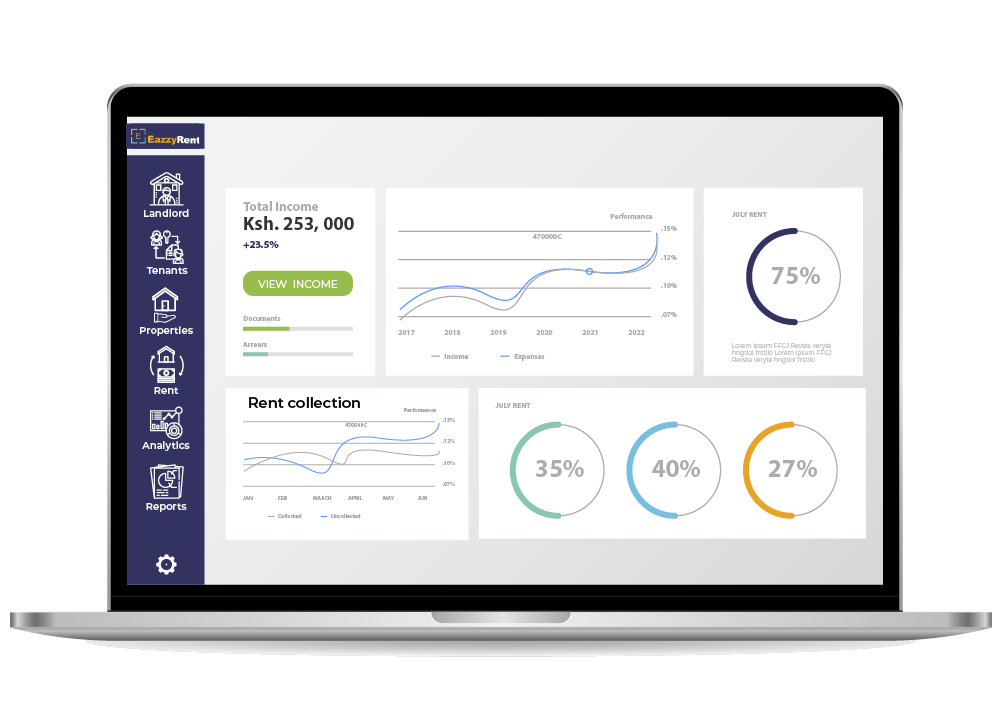
Testing a property management software (PMS) demo before making a purchase is one of the smartest decisions a landlord or property manager can make. A demo transforms the buying process from guesswork into a practical evaluation, allowing you to see exactly how the system performs in real-world scenarios.
In Kenya’s property market, where operational needs vary widely—from small landlords to large property firms—choosing the wrong software can lead to inefficiencies, wasted money, and unnecessary stress. A demo helps eliminate this uncertainty by giving you firsthand experience with the system’s features, usability, and performance.
6.1 Reduces Risk of Choosing the Wrong Software
One of the biggest advantages of testing a demo is minimizing the chances of making a poor investment.
- Real System Experience – You interact with the actual software rather than relying on descriptions.
- Feature Verification – Confirms whether the system delivers what it promises.
- Avoid Costly Mistakes – Prevent spending money on software that doesn’t meet your needs.
- Better Decision-Making – Provides clarity before committing financially. This ensures that your choice is based on evidence, not assumptions.
A demo significantly reduces the risk of choosing software that does not fit your needs.
6.2 Helps You Understand How the System Fits Your Workflow
Every property manager has a unique way of handling operations, and a demo helps you evaluate compatibility.
- Workflow Testing – See how tasks like rent collection and tenant management are handled.
- Process Alignment – Check if the system matches your current operational style.
- Efficiency Evaluation – Identify how much time and effort the system can save.
- Customization Insight – Understand how flexible the system is for your needs. This helps ensure that the software integrates smoothly into your daily operations.
A demo helps you determine whether the PMS aligns with your workflow and operational needs.
6.3 Allows You to Compare Multiple Systems Side by Side
Comparing different PMS platforms is easier when you test them through demos.
- Feature Comparison – Evaluate which system offers the best tools for your needs.
- Usability Differences – Identify which platform is easier to use.
- Performance Evaluation – Compare speed, responsiveness, and overall experience.
- Value Assessment – Determine which system offers the best return on investment. This side-by-side comparison helps you make a more informed and confident choice.
Testing multiple demos allows you to compare options and select the best PMS.
6.4 Builds Confidence Before Making a Financial Commitment
Investing in a PMS involves ongoing costs, so confidence in your choice is essential.
- Hands-On Experience – Direct interaction builds trust in the system.
- Clear Expectations – You know exactly what to expect after purchase.
- Reduced Uncertainty – Eliminates doubts about usability and performance.
- Stronger Investment Decision – Ensures you are making the right financial commitment. Confidence in your decision leads to smoother adoption and better results.
A demo builds confidence and ensures you invest in the right property management software.
Testing a PMS demo before buying provides significant benefits, including reduced risk, better workflow alignment, easier comparison of options, and increased confidence in your decision. For landlords and property managers in Kenya, demos are an essential step in selecting software that delivers real value, improves efficiency, and supports long-term property management success.
7. How to Request a Demo in Kenya
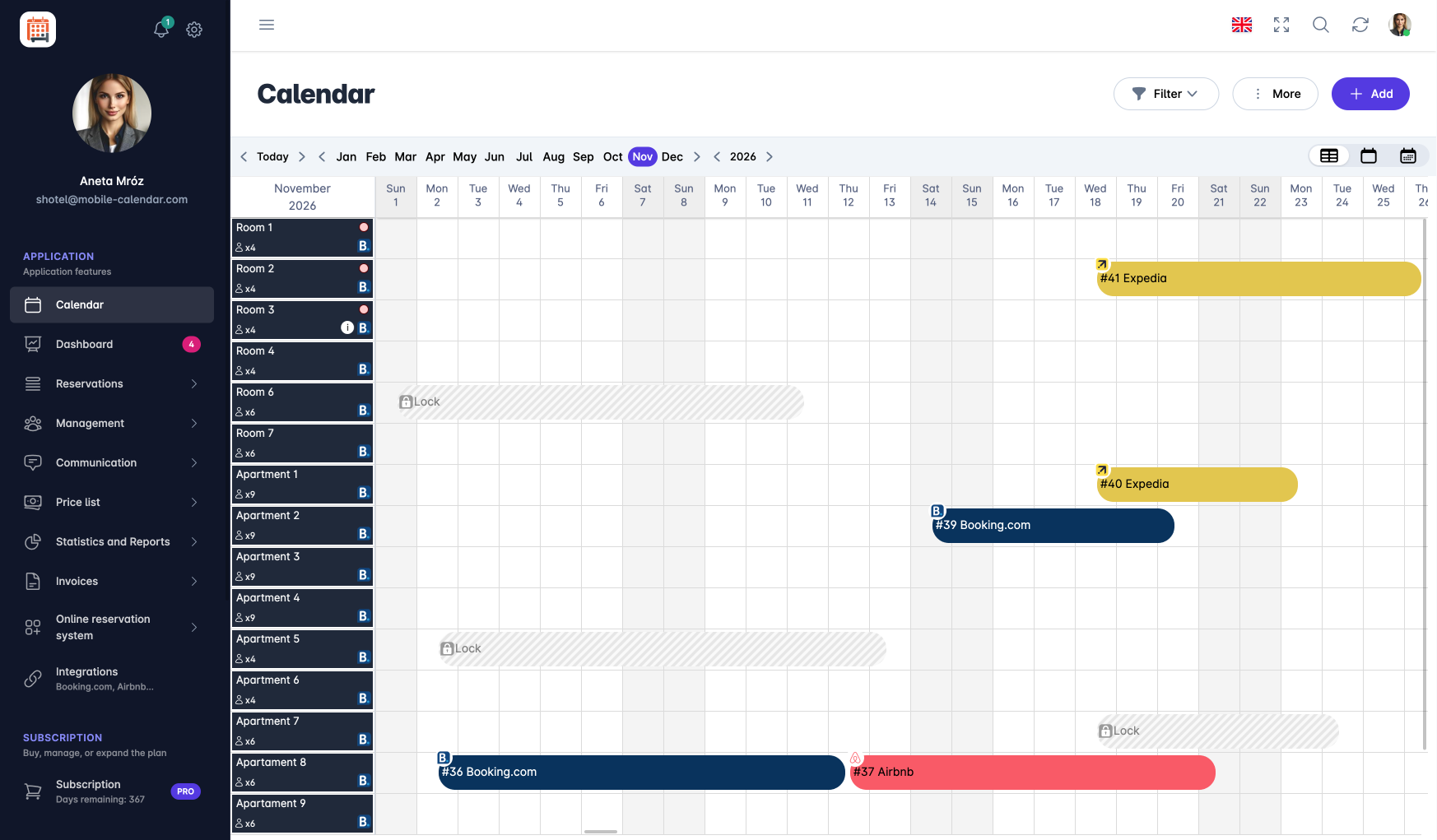
Requesting a property management software (PMS) demo in Kenya is a simple and structured process designed to help landlords and property managers evaluate systems before making a decision. Most providers have streamlined their onboarding process, making it easy to book a demo, test features, and interact with the system within a short time.
Whether you are a small landlord or managing a large portfolio, requesting a demo gives you direct access to the software and allows you to assess how well it fits your operational needs. Below is a detailed step-by-step breakdown of how to request and make the most of a PMS demo in Kenya.
7.1 Visit the Provider’s Website and Click “Request Demo” or “Book Demo.”
The first step is accessing the official website of the PMS provider.
- Demo Access Points – Most websites have clear buttons labeled “Request Demo,” “Book Demo,” or “Try Now.”
- Easy Navigation – These options are usually found on the homepage or pricing page.
- Direct Access – Clicking the button takes you to a demo request form or booking page.
- Multiple Options – Some platforms also offer instant demos or trial sign-ups.This step initiates the process and connects you with the provider.
Visiting the provider’s website is the starting point for requesting a PMS demo.
7.2 Fill in Your Details and Property Requirements
After clicking the demo request option, you’ll be required to provide basic information.
- Personal Details – Includes your name, email, and contact information.
- Property Information – Number of units, type of properties, and management needs.
- Use Case Description – Helps the provider tailor the demo to your specific requirements.
- Quick Submission – Most forms take only a few minutes to complete. Providing accurate information ensures the demo is relevant and personalized.
Filling in your details helps providers customize the demo to your needs.
7.3 Schedule a Live Session or Access a Trial Account
Once your request is submitted, the provider will guide you to the next step.
- Live Demo Scheduling – Choose a convenient date and time for a guided session.
- Instant Trial Access – Some providers give immediate access to a test account.
- Flexible Options – Demos can be conducted via video call, phone, or in-person.
- Quick Response Time – Most providers respond within a short period to confirm scheduling. This step gives you access to the system either through a guided or self-paced experience.
Scheduling or accessing a trial ensures you can interact with the system at your convenience.
7.4 Test the System and Ask Questions During the Demo Session
The demo session is your opportunity to fully evaluate the system.
- Hands-On Testing – Explore features such as rent collection, tenant management, and reporting.
- Ask Questions – Clarify how the system handles your specific needs.
- Feature Exploration – Test usability, speed, and overall performance.
- Evaluate Fit – Determine whether the system aligns with your workflow. Active participation ensures you get the most value from the demo.
Testing and asking questions during the demo helps you make an informed decision.
Requesting a PMS demo in Kenya involves visiting the provider’s website, submitting your details, scheduling a session or accessing a trial, and actively testing the system. Most providers respond quickly and offer flexible demo options, making it easy to evaluate software before buying. By following this process, landlords and property managers can confidently choose a system that meets their needs and supports efficient property management.
8. Common Mistakes to Avoid During a Demo

A property management software demo is a valuable opportunity to evaluate whether a system truly meets your needs. However, many landlords and property managers fail to maximize this opportunity due to common mistakes that lead to poor decision-making. Instead of gaining clarity, they leave the demo with unanswered questions or an incomplete understanding of the system.
In Kenya’s competitive PMS market, avoiding these mistakes is essential to ensure you select the right software. A demo should be an active, engaging process—not a passive presentation. By understanding what to avoid, you can make better use of the session and choose a system that delivers real value.
8.1 Not Preparing Questions About Your Specific Needs
Going into a demo without preparation can limit how much value you gain from it.
- Lack of Direction – Without question, the demo may remain too general and not address your needs.
- Missed Opportunities – You may overlook important features relevant to your property type.
- Generic Experience – The demo may not reflect your actual workflow or challenges.
- Limited Insight – You leave without clarity on whether the system fits your operations. Preparing questions ensures the demo is tailored to your specific requirements.
Always prepare targeted questions to get the most out of your PMS demo.
8.2 Focusing Only on Price Instead of Functionality
Many users evaluate software based solely on cost rather than value.
- Feature Neglect – You may ignore critical features like automation and reporting.
- Short-Term Thinking – Cheaper options may lack capabilities needed for long-term growth.
- Hidden Costs – Limited functionality may require upgrades later.
- Value Over Price – A slightly higher cost may offer significantly better efficiency. A demo should help you assess how well the system works—not just how much it costs.
Focus on functionality and value rather than just the price during a demo.
8.3 Ignoring Integration with Local Payment Systems
In Kenya, payment integration—especially with M-Pesa—is essential.
- M-Pesa Dependency – Most tenants rely on mobile money for rent payments.
- Manual Workload – Without integration, payment tracking becomes time-consuming.
- Error Risk – Lack of automation increases the chances of reconciliation mistakes.
- Operational Inefficiency – Poor integration can disrupt rent collection processes. Failing to check this during a demo can lead to major operational challenges later.
Always verify M-Pesa and local payment integration during the demo.
8.4 Not Testing the System with Real-Life Scenarios
Simply watching a demo is not enough—you need to simulate real use cases.
- Practical Testing – Try scenarios like adding tenants, recording payments, and generating reports.
- Workflow Validation – Ensure the system matches your daily operations.
- Usability Check – Test how easy it is to perform tasks.
- Performance Evaluation – Assess speed, responsiveness, and accuracy. Real-life testing helps you understand how the system will perform after purchase.
Always test the system using real-life scenarios to ensure it meets your needs.
Avoiding common mistakes during a PMS demo—such as lack of preparation, focusing only on price, ignoring payment integration, and failing to test real-life scenarios—ensures you get the most value from the session. By actively engaging in the demo and evaluating the system thoroughly, landlords and property managers in Kenya can make informed decisions and choose software that truly supports efficient and effective property management.
9. Tips for Choosing the Best PMS After a Demo

After attending one or more property management software (PMS) demos, the next step is making a confident and informed decision. This stage is critical because it determines whether the system you choose will truly improve your operations or create new challenges. Many users rush this step, but taking a structured approach ensures you select a system that delivers long-term value.
In Kenya’s property market, where PMS options vary in features, pricing, and usability, choosing the right system requires careful evaluation. You need to balance your current needs with future growth, while also ensuring the system is practical, reliable, and easy to use. Below are key tips to guide your final decision after a demo.
9.1 Choose Software That Matches Your Current and Future Needs
A good PMS should not only solve your current challenges but also support your growth.
- Current Fit – Ensure the system handles your existing number of properties efficiently.
- Future Scalability – Check if it can support more units and features as your portfolio expands.
- Feature Relevance – Focus on tools that match your daily operations.
- Long-Term Value – Avoid systems that may require replacement as your business grows. Choosing a system that balances present and future needs protects your investment.
Select a PMS that fits your current operations while supporting future expansion.
9.2 Prioritize Ease of Use and Automation Features
Usability and automation directly impact how effective the system will be.
- User-Friendly Interface – The system should be simple and intuitive to navigate.
- Quick Learning Curve – Staff should be able to adopt the system بسهولة.
- Automation Capabilities – Features like invoicing, reminders, and reporting should be automated.
- Operational Efficiency – Automation reduces workload and improves consistency.A system that is easy to use and automated will save time and reduce errors.
Choose a PMS that combines simplicity with strong automation features for maximum efficiency.
9.3 Ensure Strong Customer Support and Onboarding
Support services are essential for smooth implementation and long-term success.
- Technical Support – Ensure quick assistance when issues arise.
- Onboarding Services – Proper training helps you get started effectively.
- System Updates – Regular updates improve performance and security.
- User Guidance – Access to help resources improves confidence and usability. A reliable provider ensures your system continues to perform well over time.
Strong support and onboarding are critical for a successful PMS experience.
9.4 Compare at Least 2–3 Demos Before Making a Final Decision
Comparing multiple systems helps you make a more informed choice.
- Feature Comparison – Evaluate differences in functionality across platforms.
- Usability Assessment – Identify which system is easiest to use.
- Performance Evaluation – Compare speed, responsiveness, and reliability.
- Value Analysis – Determine which option offers the best return on investment. Relying on a single demo may limit your perspective and lead to a suboptimal choice.
Always compare multiple demos to ensure you choose the best PMS for your needs.
Choosing the best property management software after a demo requires evaluating both current and future needs, prioritizing ease of use and automation, ensuring strong support, and comparing multiple options. By following these tips, landlords and property managers in Kenya can confidently select a PMS that delivers efficiency, reliability, and long-term value.
10. FAQs on Property Management Software Demo Kenya
Property management software demos are an essential step for landlords, agents, and property managers in Kenya who want to make informed decisions before investing in a system. However, many users still have practical questions about how demos work, what to expect, and whether they are necessary.
Below is a detailed breakdown of the most frequently asked questions to help you fully understand the value and process of PMS demos in Kenya.
10.1 Is a property management software demo free in Kenya?
Yes, most PMS providers in Kenya offer demos at no cost.
Free Access – Demos are typically provided as part of the sales process.
Trial Options – Some providers include free trial accounts alongside demos.
No Obligation – You are not required to purchase after attending a demo.
Marketing Strategy – Providers use demos to showcase their system’s value.
Most PMS demos in Kenya are free and designed to help users evaluate the system.
10.2 How long does a demo take?
The duration of a demo depends on the format and level of detail.
Live Demos – Typically last between 30 minutes to 1 hour.
Detailed Sessions – May take longer for complex systems or large portfolios.
Self-Guided Demos – Can be explored at your own pace.
Flexible Scheduling – Providers often adjust timing based on user needs.
Most demos are short and focused, usually completed within an hour.
10.3 Can I test the software before buying?
Yes, many PMS platforms provide hands-on access for evaluation.
Trial Accounts – Temporary access to explore system features.
Sandbox Environments – Safe testing spaces that do not affect real data.
Feature Exploration – Users can try tasks like adding tenants or tracking rent.
Better Evaluation – Helps determine usability and performance.
Most systems allow you to test the software before making a purchase decision.
10.4 Do demos include real data?
Demos usually use sample data, but customization may be possible.
Demo Data – Preloaded data is used to showcase system functionality.
Safe Testing – Prevents risk to real property or financial data.
Custom Scenarios – Some providers allow limited customization during demos.
Realistic Simulation – Demo data is designed to reflect real-world situations.
Demos typically use sample data, but may allow limited customization.
10.5 What should I check during a demo?
Evaluating the right aspects ensures you choose the best PMS.
Ease of Use – Check how simple and intuitive the system is.
Core Features – Evaluate rent collection, tenant management, and reporting.
Payment Integration – Confirm M-Pesa and banking compatibility.
Performance – Assess speed, responsiveness, and reliability.
Focus on usability, features, integrations, and performance during the demo.
10.6 Can small landlords request demos?
Yes, demos are available for all types of users.
Inclusive Access – Both small landlords and large firms can request demos.
Tailored Sessions – Providers often customize demos based on user needs.
Entry-Level Solutions – Small landlords can explore affordable systems.
Scalable Options – Systems can grow with your portfolio.
PMS demos are suitable for users of all sizes, including small landlords.
10.7 Do demos include training?
Some providers incorporate basic training into the demo session.
Guided Walkthrough – Demonstrates how to use key features.
Basic Training – Helps users understand system navigation and functionality.
Onboarding Support – Additional training may be offered after purchase.
User Confidence – Training improves ease of adoption.
Many demos include basic training to help users understand the system.
10.8 Can I request multiple demos?
Yes, comparing different systems is highly recommended.
Side-by-Side Comparison – Evaluate features, usability, and performance.
Better Decision-Making – Helps identify the best system for your needs.
Market Awareness – Understand what different providers offer.
Reduced Risk – Avoid choosing a system that does not meet expectations.
Requesting multiple demos helps you choose the best PMS with confidence.
10.9 Do demos show mobile features?
Yes, most modern PMS platforms highlight mobile capabilities.
Mobile Apps – Demonstrates how the system works on smartphones and tablets.
Cloud Access – Shows how to manage properties remotely.
Real-Time Updates – Data sync across devices instantly.
User Experience – Evaluate usability on mobile devices.
Demos typically include mobile features to showcase flexibility and remote access.
10.10 Is a demo necessary before buying PMS?
Yes, a demo is a critical step in the decision-making process.
Risk Reduction – Helps avoid choosing the wrong software.
Hands-On Experience – Provides real interaction with the system.
Informed Decision – Ensures the system meets your needs.
Confidence Building – Eliminates uncertainty before purchase.
A demo is essential for making an informed and confident PMS purchase decision.
Property management software demos in Kenya are free, flexible, and highly valuable for evaluating systems before purchase. They allow users to test features, assess usability, compare options, and gain confidence in their decision. By understanding these FAQs, landlords and property managers can fully leverage demos to choose software that improves efficiency, reduces risk, and supports long-term property management success.
Make Confident Decisions with Property Management Software Demos in Kenya

Requesting a property management software demo in Kenya is a crucial step before making any purchase decision. It allows property owners and managers to explore system features, understand how it works, and evaluate whether it fits their operational needs. By testing usability and functionality firsthand, you can avoid costly mistakes and ensure the system aligns with your property management goals.
With many Kenyan providers offering free demos and trial access, it becomes easier to compare different platforms and identify the best fit for your portfolio. During a demo, you can assess key features such as rent tracking, tenant management, reporting tools, and mobile accessibility. This hands-on approach helps you determine how well the system will integrate into your daily operations and whether it offers the efficiency and reliability you need.
Taking advantage of demos reduces risk and improves decision-making, allowing you to invest with confidence. By choosing the right system after thorough evaluation, you set a strong foundation for efficient property management and long-term growth. Visit Tiwi POS today to request a property management software demo in Kenya.