POS Installation Kenya: A Complete Guide by Tiwi POS
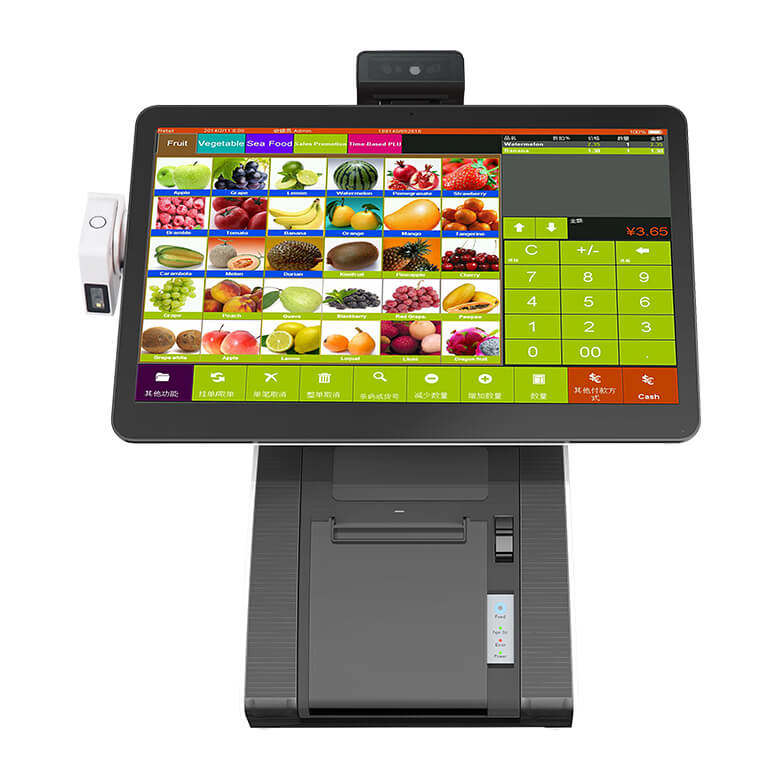
In today’s competitive business environment, adopting a reliable POS system is only the first step—proper installation and setup are what truly determine its effectiveness. Across Kenya, businesses such as retail shops, supermarkets, restaurants, pharmacies, and service providers are embracing POS technology to improve efficiency, accuracy, and customer experience. With professional installation services from Tiwi POS, businesses can ensure that their systems are configured correctly from the start, minimizing errors and maximizing performance.
A well-installed POS system integrates critical functions such as sales processing, inventory management, reporting, and payment handling into one seamless platform. With the widespread use of M-Pesa and the need for compliance with Kenya Revenue Authority eTIMS requirements, proper configuration becomes even more important. Tiwi POS ensures that every installation is tailored to the business’s specific needs, including hardware setup, software configuration, staff training, and system testing to ensure smooth day-to-day operations.
This comprehensive guide explores everything businesses need to know about POS installation in Kenya—from requirements and processes to costs and best practices. Whether you are setting up a new business or upgrading your current system, Tiwi POS provides end-to-end installation services that deliver reliable, business-ready solutions, helping you operate efficiently and scale with confidence.
1. Understanding POS Installation
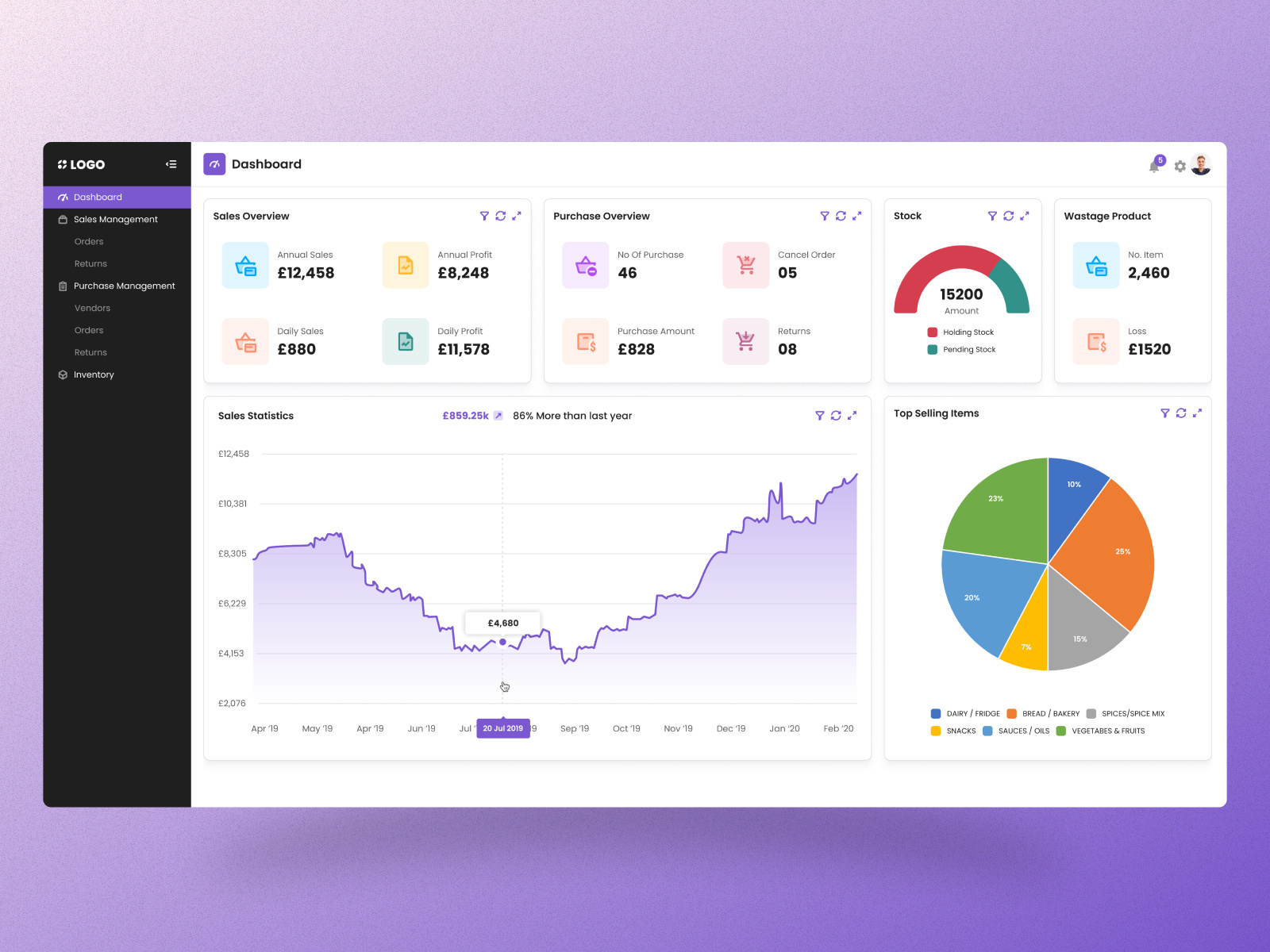
POS installation is more than just setting up equipment—it involves configuring a complete system that supports sales, inventory, payments, and reporting. A properly installed POS system ensures smooth daily operations and minimizes technical issues.
1.1 What Does a POS Installation Mean
POS installation refers to the process of setting up both the hardware and software required for a point-of-sale system to function effectively.
- Beyond plugging in devices – Includes system configuration, testing, and integration.
- Software setup – Installing POS applications and configuring settings.
- Hardware connection – Linking devices like scanners, printers, and payment terminals.
This ensures the system is fully operational and ready for business use.
1.2 Key Components of POS Setup
A complete POS installation involves several interconnected components.
- Software – Handles sales, inventory, reporting, and customer data.
- Hardware – Includes POS terminals, barcode scanners, receipt printers, and cash drawers.
- Network configuration – Ensures devices communicate properly and support online transactions.
- Payment integration – Connects M-Pesa, card payments, and other methods.
All these elements must work together for the system to function smoothly.
1.3 Why Proper Installation Is Essential
Proper POS installation is critical for ensuring reliable and efficient business operations.
- Smooth transactions – Prevents delays and system errors during checkout.
- Accurate data – Ensures correct tracking of sales and inventory.
- System reliability – Reduces downtime and technical issues.
A well-installed system improves productivity and customer satisfaction.
1.4 Common Installation Mistakes
Installing a POS system without professional support can lead to several issues.
- Poor configuration – Incorrect settings can cause system errors.
- Network issues – Improper setup may lead to connectivity problems.
- Lack of training – Staff may struggle to use the system effectively.
- Integration failures – Payment systems and software may not work properly together.
Avoiding these mistakes ensures a smooth and efficient POS operation.
POS installation involves setting up software, hardware, and network components to create a fully functional system. It goes beyond simply plugging in equipment and requires proper configuration and integration. A well-installed POS system ensures smooth operations, accurate data, and reliable performance, while poor installation can lead to errors, downtime, and inefficiencies.
2. Businesses That Need POS Installation in Kenya
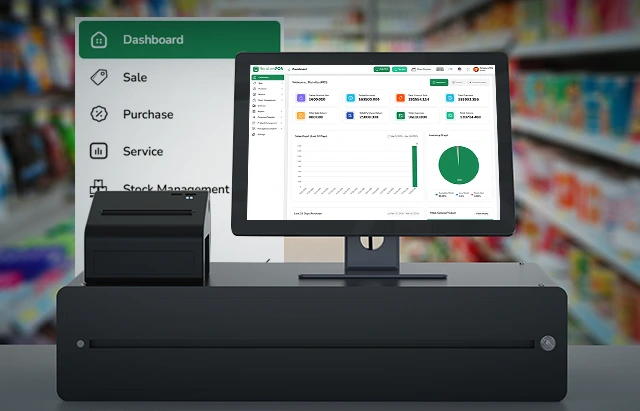
POS installation is essential for a wide range of businesses in Kenya that rely on efficient transactions, accurate recordkeeping, and smooth operations. Different industries require POS systems tailored to their specific workflows and customer interactions.
2.1 Retail Shops and Supermarkets
Retail shops and supermarkets depend heavily on POS systems to manage daily sales and inventory efficiently.
- Sales tracking – Records every transaction in real time, ensuring accurate revenue reporting.
- Inventory control – Automatically updates stock levels after each sale, reducing stock discrepancies.
- Barcode scanning – Speeds up checkout and minimizes pricing errors.
- Multi-branch management – Allows supermarkets with multiple outlets to monitor performance centrally.
Without proper POS installation, retail businesses may struggle with stock losses, pricing errors, and slow checkout processes.
2.2 Restaurants, Cafés, and Fast-Food Outlets
Hospitality businesses require specialized POS systems to manage orders, payments, and customer service.
- Order management – Sends orders directly to the kitchen, reducing errors.
- Table management – Tracks seating, orders, and billing for dine-in customers.
- Fast billing – Speeds up service in busy environments like fast-food outlets.
- Integrated payments – Supports M-Pesa, cards, and cash for seamless transactions.
A professionally installed POS system ensures faster service, improved accuracy, and better customer experience.
2.3 Pharmacies, Hardware Stores, and Boutiques
These businesses rely on precise inventory management and detailed tracking systems.
- Accurate inventory systems – Track stock levels, product variations, and pricing.
- Expiry tracking (pharmacies) – Helps monitor product expiry dates and reduce losses.
- Product categorization – Organizes items by type, size, or brand for easy management.
- Sales analytics – Identifies best-selling products and purchasing trends.
Proper POS installation ensures accuracy, compliance, and efficient stock management.
2.4 Service Businesses (Salons, Spas, Repair Shops)
Service-based businesses require POS systems that go beyond sales to manage customers and appointments.
- Customer records – Stores client details, preferences, and service history.
- Appointment scheduling – Helps manage bookings and reduce missed appointments.
- Billing and invoicing – Generates accurate service charges and receipts.
- Service tracking – Monitors services offered and staff performance.
These systems improve customer experience, streamline operations, and enhance business organization.
POS installation is essential across multiple industries in Kenya, including retail, hospitality, specialized stores, and service businesses. Each sector benefits from tailored features such as inventory management, order processing, customer tracking, and payment integration. By implementing a properly installed POS system, businesses can improve efficiency, reduce errors, and deliver better customer experiences while supporting long-term growth.
3. What Is Included in a POS Installation
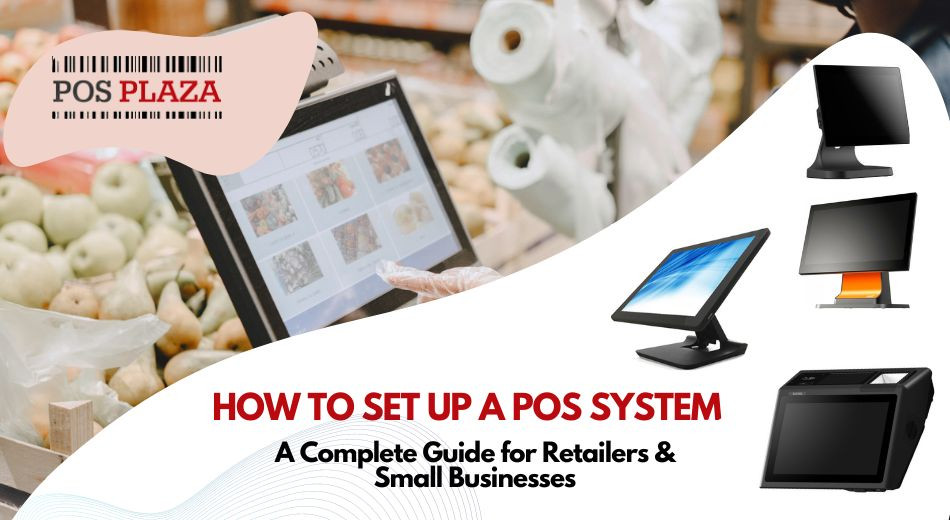
A complete POS installation involves more than just setting up equipment—it includes configuring software, installing hardware, ensuring proper connectivity, and testing the entire system. Each step is critical to ensure the POS system runs smoothly and supports daily business operations without interruptions.
3.1 Installing POS Software
Installing POS software is the foundation of the entire system and must be tailored to match the specific business model.
- System configuration – Set up products, pricing, categories, and tax rules according to the business structure.
- Inventory setup – Input stock levels, supplier details, and reorder thresholds.
- User roles and permissions – Assign access levels for cashiers, managers, and administrators.
- Customization – Adapt the system for retail, restaurant, or service-based workflows.
Proper software configuration ensures the POS system aligns perfectly with daily operations and business requirements.
3.2 Setting Up POS Hardware
Hardware setup involves installing and connecting all physical components required for transactions.
- Touchscreen or terminal – Main interface for processing sales.
- Barcode scanners – Enable fast and accurate product scanning.
- Receipt printers – Provide customers with transaction records.
- Cash drawers – Securely store cash during operations.
- Payment terminals – Support card and mobile payments such as M-Pesa.
All devices must be properly connected and configured to work seamlessly together.
3.3 Network and System Connectivity
A reliable network connection is essential for ensuring smooth communication between system components.
- Internet connection – Required for cloud-based systems, updates, and payment processing.
- Local network setup – Connects multiple POS devices within the same location.
- Cloud integration – Enables remote access to sales data and reports.
- Payment connectivity – Ensures seamless communication with M-Pesa and card payment systems.
Proper connectivity ensures real-time data synchronization and uninterrupted operations.
3.4 System Testing and Go-Live Preparation
Before going live, the entire POS system must be thoroughly tested to ensure everything works correctly.
- Transaction testing – Simulate sales to verify accuracy in pricing and calculations.
- Payment testing – Confirm M-Pesa, card, and cash transactions function properly.
- Device testing – Ensure printers, scanners, and terminals are fully operational.
- Staff training and trial runs – Allow employees to practice using the system.
This step ensures the system is fully functional and minimizes disruptions when the business starts using it.
A complete POS installation includes software setup, hardware installation, network configuration, and thorough system testing. Each step plays a critical role in ensuring the system operates efficiently and reliably. When done correctly, POS installation enables businesses to process transactions smoothly, manage inventory accurately, and deliver excellent customer service from day one.
4. Choosing the Right POS Hardware

Selecting the right POS hardware is a critical step in ensuring your system performs efficiently and meets your business needs. The type of hardware you choose affects transaction speed, accuracy, and overall customer experience. Businesses in Kenya should consider their size, industry, and daily operations when selecting POS equipment.
4.1 POS Terminals and Touch-Screen Systems
POS terminals and touch-screen systems are the main interface used for processing transactions.
- Fast transactions – Touchscreens allow quick navigation and reduce checkout time.
- User-friendly interface – Easy for staff to learn and operate with minimal training.
- Versatility – Suitable for retail, restaurants, and service businesses.
- Integration – Connects seamlessly with other devices like scanners and printers.
Choosing the right terminal ensures smooth and efficient daily operations.
4.2 Receipt Printers
Receipt printers are essential for providing customers with proof of purchase.
- Transaction records – Generates receipts for every sale.
- Customer trust – Provides transparency and professionalism.
- Thermal printing – Fast and cost-effective printing technology.
- Digital integration – Can also support email or SMS receipts.
A reliable receipt printer ensures consistent and professional service.
4.3 Barcode Scanners
Barcode scanners improve efficiency and accuracy during transactions.
- Quick checkout – Speeds up the billing process significantly.
- Accurate pricing – Reduces human errors when entering product details.
- Inventory tracking – Updates stock levels automatically.
- Ease of use – Simple for staff to operate with minimal training.
This makes barcode scanners essential for retail and inventory-heavy businesses.
4.4 Cash Drawers, Tablets, and Payment Devices
Additional POS hardware components depend on the size and type of business.
- Cash drawers – Securely store cash and integrate with POS systems.
- Tablets – Provide a portable and cost-effective POS solution for small businesses.
- Payment devices – Support card payments and mobile money like M-Pesa.
- Flexible setups – Allow businesses to customize their POS environment based on needs.
Selecting the right combination of devices ensures efficiency and flexibility in operations.
Choosing the right POS hardware involves selecting reliable terminals, receipt printers, barcode scanners, and additional devices such as cash drawers and payment terminals. Each component plays a vital role in ensuring fast transactions, accurate records, and smooth operations. By investing in the right hardware, businesses in Kenya can improve efficiency, enhance customer experience, and support long-term growth.
5. POS Software Configuration
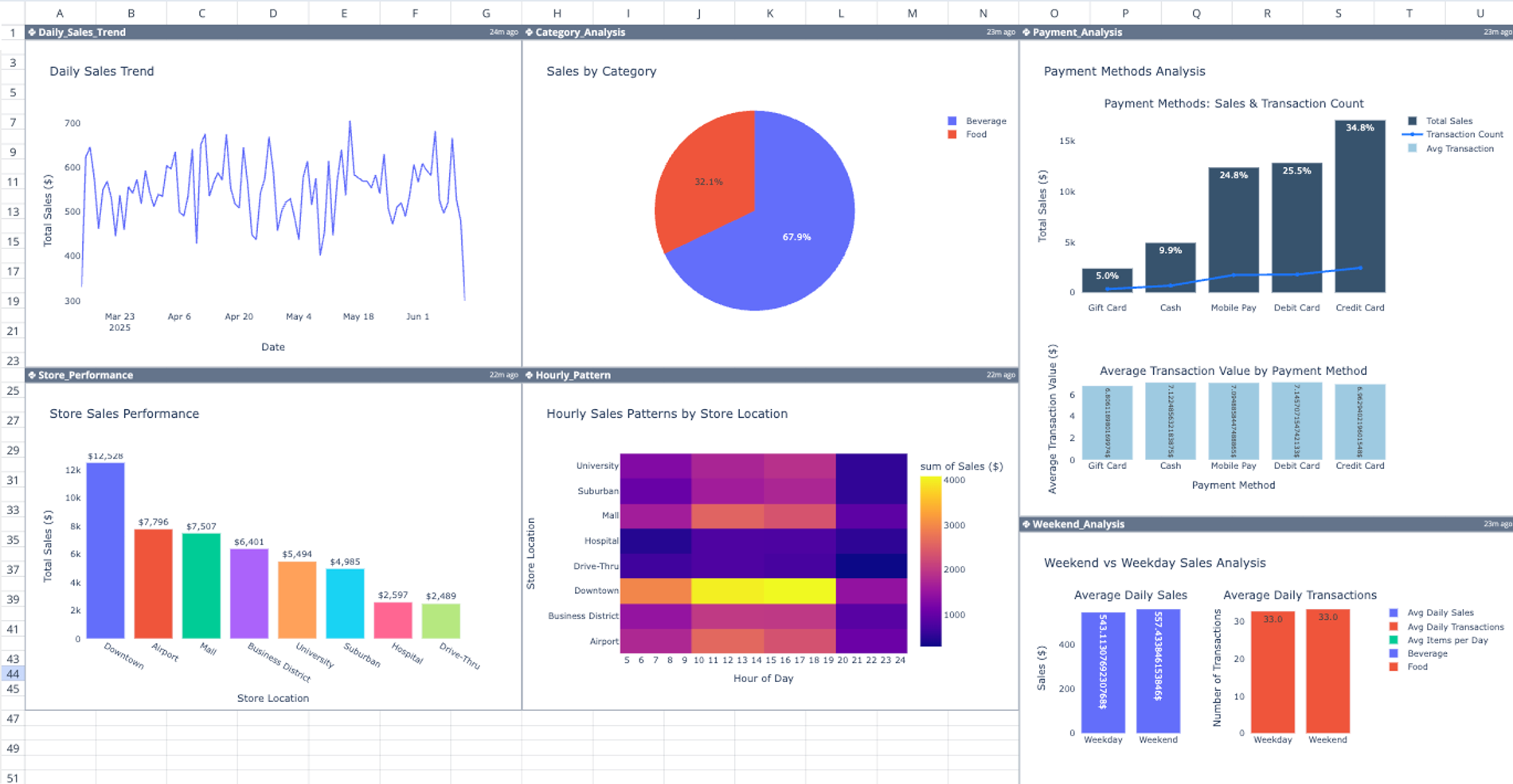
POS software configuration is one of the most critical steps in the installation process. It determines how well the system aligns with your business operations, ensuring accurate transactions, proper reporting, and seamless day-to-day management. A well-configured POS system reduces errors, improves efficiency, and provides valuable business insights.
5.1 Setting Up Products, Categories, Prices, and Tax Settings
This step involves building the foundation of your POS system by inputting all products and pricing structures.
- Product setup – Add items with names, SKUs, barcodes, and descriptions.
- Category organization – Group products (e.g., beverages, electronics, clothing) for easier navigation.
- Pricing configuration – Set selling prices, discounts, and promotional offers.
- Tax settings – Configure VAT or other applicable taxes to ensure compliance and accurate billing.
Proper setup ensures smooth transactions and accurate financial calculations from the start.
5.2 Creating User Accounts and Assigning Roles
User management ensures that each staff member has the appropriate level of access within the system.
- User accounts – Create profiles for cashiers, supervisors, and administrators.
- Role-based permissions – Control what each user can access (e.g., sales only vs full system control).
- Security control – Prevent unauthorized access to sensitive data such as financial reports.
- Accountability – Track actions performed by each staff member.
This improves system security and ensures efficient staff management.
5.3 Configuring Reports and Analytics
Reporting configuration allows businesses to track performance and make informed decisions.
- Sales reports – Monitor daily, weekly, and monthly revenue.
- Stock reports – Track inventory levels, stock movement, and shortages.
- Profit analysis – Evaluate margins and overall business performance.
- Custom dashboards – Display key metrics in real time.
These insights help businesses optimize operations and plan for growth.
5.4 Integrating Payment Methods
Payment integration ensures the POS system can handle all types of transactions seamlessly.
- Cash payments – Traditional payment method for many customers.
- Card payments – Supports debit and credit card transactions.
- Mobile money integration – Enables M-Pesa and other digital payments.
- Automatic reconciliation – Records all transactions accurately in the system.
This ensures flexibility, convenience, and accurate financial tracking.
POS software configuration involves setting up products, pricing, tax rules, user roles, reporting systems, and payment integrations. Each step ensures the system is tailored to the business and operates efficiently. A properly configured POS system improves accuracy, enhances security, and provides valuable insights, making it a key component of successful POS installation.
6. Network and Connectivity Requirements

A reliable network setup is essential for the smooth operation of any POS system. Whether the system is cloud-based or locally hosted, proper connectivity ensures real-time data processing, seamless payments, and uninterrupted business operations. Poor network configuration can lead to delays, failed transactions, and loss of critical data.
6.1 Importance of Stable Internet
A stable internet connection is crucial, especially for cloud-based POS systems.
- Real-time transactions – Ensures instant processing of sales and payments.
- Cloud synchronization – Keeps data updated across devices and locations.
- Access to reports – Allows remote monitoring of sales and performance.
- Payment processing – Supports M-Pesa and card transactions without delays.
Without stable internet, businesses risk interruptions and reduced efficiency.
6.2 Local Network Setup
A local network connects multiple POS devices within the same business location.
- Multiple tills – Allows several checkout points to operate simultaneously.
- Device communication – Connects printers, scanners, and terminals.
- Centralized control – Shares data across all POS stations.
- Branch connectivity – Enables coordination between different outlets.
Proper network setup ensures smooth communication between all system components.
6.3 Backup Connectivity Options
Backup connectivity helps prevent downtime in case of internet failure.
- Mobile hotspots – Provide temporary internet access during outages.
- Dual internet connections – Automatically switch to a backup network.
- 4G/5G routers – Offer reliable alternative connectivity.
- Offline mode support – Some POS systems continue working without internet temporarily.
This ensures business continuity even during network disruptions.
6.4 Device Communication and Integration
All POS devices must communicate effectively with the main system for smooth operation.
- Printer integration – Ensures receipts are generated instantly.
- Scanner connectivity – Allows accurate and fast product scanning.
- Payment device communication – Enables seamless card and mobile payments.
- System synchronization – Ensures all devices work as one unified system.
Proper integration prevents errors and ensures efficient transaction processing.
Network and connectivity play a vital role in POS system performance. A stable internet connection, well-configured local network, reliable backup options, and seamless device communication ensure uninterrupted operations. By investing in proper network setup, businesses can reduce downtime, improve transaction speed, and deliver a smooth customer experience.
7. Staff Training After Installation
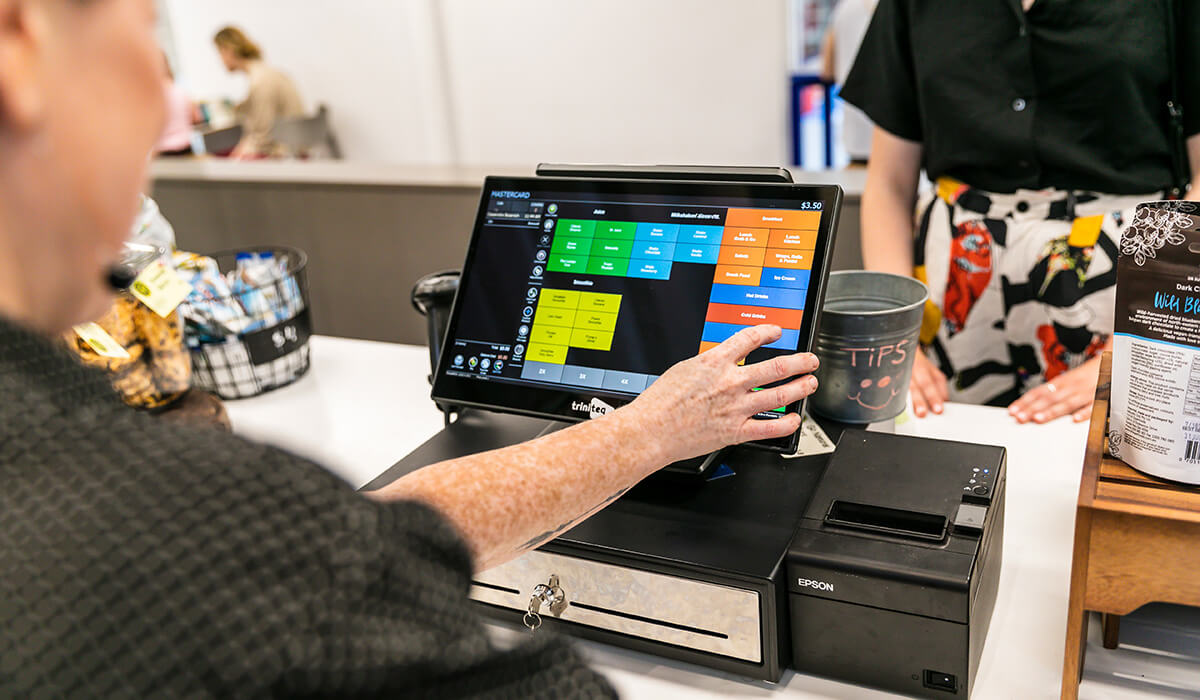
After a POS system is installed, proper staff training is essential to ensure the system is used effectively. Even the most advanced POS system can fail to deliver results if employees do not understand how to operate it correctly. Training helps improve efficiency, reduce errors, and maximize the return on investment.
7.1 Training Cashiers and Staff
Cashiers and frontline staff must be trained to handle transactions quickly and accurately.
- Processing sales – Learn how to scan items, input quantities, and complete transactions.
- Speed and accuracy – Reduce checkout time while avoiding pricing errors.
- Handling different payments – Manage cash, card, and M-Pesa transactions.
- Basic troubleshooting – Resolve minor issues during transactions.
Proper cashier training ensures smooth daily operations and better customer service.
7.2 Training Managers and Supervisors
Managers require deeper training to oversee operations and make informed decisions.
- Accessing reports – Monitor sales, revenue, and performance trends.
- Inventory management – Track stock levels and identify shortages.
- System controls – Manage pricing, discounts, and user permissions.
- Business insights – Use data to improve decision-making.
This enables managers to take full control of business operations.
7.3 Handling Returns, Discounts, and Refunds
Staff must understand how to handle special transactions correctly.
- Returns processing – Record returned items and adjust inventory.
- Refund handling – Process refunds accurately and securely.
- Discount application – Apply discounts and promotions correctly.
- Policy compliance – Follow business rules for returns and refunds.
This ensures consistency, reduces fraud, and maintains customer trust.
7.4 Importance of Training
Training is critical for maximizing the value of a POS system.
- Improved efficiency – Staff work faster and more confidently.
- Reduced errors – Minimizes mistakes in transactions and reporting.
- Better customer experience – Ensures smooth and professional service.
- Higher ROI – Businesses fully utilize system features and capabilities.
Without proper training, businesses may not realize the full benefits of their POS investment
Staff training is a crucial step after POS installation, ensuring that both cashiers and managers can use the system effectively. From processing sales and managing inventory to handling refunds and analyzing reports, proper training improves efficiency, reduces errors, and enhances customer experience. Ultimately, well-trained staff help businesses get the maximum value from their POS system.
8. Common Challenges During POS Installation

While POS installation brings many benefits, businesses may face several challenges if the process is not handled properly. Identifying and addressing these issues early helps ensure a smooth setup and reliable system performance.
8.1 Incorrect Hardware Compatibility
Using incompatible hardware components can lead to system failures and operational disruptions.
- Device mismatch – Some printers, scanners, or terminals may not support the POS software.
- Driver issues – Missing or incorrect drivers can prevent devices from functioning.
- Integration failures – Payment terminals may not sync properly with the system.
- Performance problems – Low-quality or outdated hardware can slow down operations.
Ensuring compatibility between all devices is essential for a stable POS system.
8.2 Poor Network Configuration
A poorly configured network can affect system speed and reliability.
- Slow internet speeds – Delays transaction processing and reporting.
- Unstable connections – Causes system downtime or failed payments.
- Synchronization issues – Data may not update correctly across devices.
- Payment disruptions – Affects M-Pesa and card transactions.
Proper network setup ensures smooth communication and real-time data flow.
8.3 Incomplete Product Setup
Incomplete or incorrect product configuration can disrupt daily operations.
- Missing products – Items may not appear in the system during sales.
- Incorrect pricing – Leads to billing errors and customer dissatisfaction.
- Disorganized categories – Slows down product search and checkout.
- Inventory inaccuracies – Affects stock tracking and reporting.
Thorough product setup is essential for efficient operations.
8.4 Lack of User Training
Without proper training, staff may struggle to use the POS system effectively.
- Operational errors – Mistakes during transactions and reporting.
- Slow service – Increases checkout time and reduces efficiency.
- Incorrect handling of features – Misuse of discounts, refunds, or reports.
- Reduced system value – Businesses fail to utilize full system capabilities.
Training ensures staff confidence and smooth day-to-day operations.
Common challenges during POS installation include hardware compatibility issues, poor network configuration, incomplete product setup, and lack of staff training. These problems can lead to system failures, delays, and inefficiencies if not addressed properly. By ensuring proper planning, professional installation, and thorough training, businesses can avoid these challenges and achieve a reliable, high-performing POS system.
9. Benefits of Professional POS Installation
Professional POS installation gives businesses a smoother, safer, and more reliable way to launch a new system. Instead of struggling with trial-and-error setup, businesses benefit from expert configuration, proper integration, and a system that is ready to support daily operations from the first day. This is especially important in busy Kenyan businesses where downtime, billing errors, or payment issues can quickly affect customer experience and revenue.
9.1 Faster Setup With Less Disruption to Your Business
One of the biggest benefits of professional POS installation is speed and efficiency. Experienced installers understand the setup process and can complete it in an organized way that minimizes disruption to your business.
- Quicker deployment – Professionals know how to install and configure the system efficiently without unnecessary delays.
- Minimal downtime – Setup is planned in a way that reduces interruptions to sales and customer service.
- Coordinated installation – Hardware, software, payments, and networking are handled together instead of in isolated stages.
- Smoother transition – Businesses moving from manual systems or old POS platforms can switch more easily.
This allows the business to start using the new system faster while keeping operations stable.
9.2 Proper Configuration for Your Specific Industry and Workflow
Every business operates differently, and a professionally installed POS system is configured to match those specific needs. A supermarket, restaurant, pharmacy, and salon will all require different settings, workflows, and reporting structures.
- Industry-specific setup – Products, menus, services, or stock items are configured according to the type of business.
- Workflow alignment – The POS system is adjusted to fit how the business actually operates day to day.
- Correct tax and pricing rules – Helps ensure accurate billing, discounts, and compliance.
- Relevant user roles – Staff permissions are set based on responsibilities such as cashier, supervisor, or manager.
This level of customization makes the POS system far more useful and practical from the beginning.
9.3 Reduced Technical Errors and Fewer Future Support Issues
Improper installation often leads to technical problems such as device failures, payment errors, printer issues, or software malfunctions. Professional installation greatly reduces these risks because all components are tested and configured correctly from the start.
- Correct hardware compatibility – Ensures scanners, printers, drawers, and payment terminals all work together properly.
- Reliable integrations – Payment systems such as cash, card, and mobile money are configured correctly.
- Fewer setup mistakes – Reduces the chance of missing products, wrong tax settings, or broken workflows.
- Lower support burden later – Businesses experience fewer avoidable issues after go-live.
This saves time, reduces frustration, and lowers the cost of future troubleshooting.
9.4 Better Long-Term Performance, Reliability, and Ease of Use
A professionally installed POS system is not only easier to launch, but also easier to maintain and use over time. The system is structured in a way that supports long-term performance, staff adoption, and business growth.
- Improved system reliability – A properly installed system is less likely to fail during busy business hours.
- Better ease of use – Staff can work more confidently when the system is logically configured.
- Consistent performance – Sales, stock tracking, and reporting remain accurate over time.
- Supports future growth – A strong setup makes it easier to scale to more users, products, or branches later.
This gives businesses more confidence in their system and helps them get greater long-term value from their investment.
Professional POS installation helps businesses launch faster, reduce disruption, and avoid many common technical problems. It ensures that the system is properly configured for the business’s specific industry, workflow, and payment setup. In the long run, professional installation improves reliability, reduces support issues, and makes the POS system easier for staff to use. For businesses in Kenya, this means smoother operations, better customer service, and stronger long-term performance.
10. Why Choose Tiwi POS for POS Installation in Kenya

Choosing the right POS installation partner is just as important as choosing the POS system itself. A good provider does more than deliver equipment—they help ensure the system is properly installed, configured, and supported so that your business can run smoothly from day one. Tiwi POS stands out by offering practical, business-focused installation services tailored to the needs of Kenyan businesses across different industries.
10.1 Professional Experience in Installing POS Systems for Different Types of Businesses
Tiwi POS brings valuable experience in installing POS systems for a wide range of businesses. Different industries have different operational needs, and professional experience helps ensure the installation is done correctly for each environment.
- Retail businesses – Systems can be set up for fast checkout, barcode scanning, and stock control.
- Restaurants and cafés – Installations can be configured for order management, table service, and kitchen coordination.
- Pharmacies and specialty stores – Setup can support detailed inventory tracking, pricing accuracy, and reporting.
- Service businesses – POS systems can be installed to manage billing, customer records, and appointment workflows.
This broad experience helps businesses receive solutions that are practical, reliable, and aligned with how they actually operate.
10.2 Tailored Solutions Based on Your Industry, Size, and Operational Needs
Not every business needs the same POS setup. Tiwi POS focuses on providing tailored solutions that reflect the size, structure, and workflow of each business.
- Industry-specific configuration – The system can be adapted for retail, hospitality, healthcare, beauty, or service operations.
- Right-sized setup – Small businesses can get simple, cost-effective solutions, while larger businesses can get more advanced systems.
- Operational alignment – Products, services, payment methods, and reporting tools are configured to match daily workflows.
- Scalable solutions – The setup can support future expansion as the business grows.
This customized approach helps ensure that businesses do not end up with a system that is either too limited or unnecessarily complicated.
10.3 Support With Hardware, Software, Setup, and Training in One Package
One of the biggest advantages of working with Tiwi POS is the convenience of getting everything handled together. Instead of sourcing different providers for equipment, software, and technical assistance, businesses can receive a more complete installation package.
- Hardware support – Assistance with selecting and installing terminals, scanners, printers, drawers, and payment devices.
- Software setup – Configuration of products, pricing, tax settings, users, and reports.
- System installation – Proper connection of all devices and network requirements.
- Staff training – Guidance for cashiers, supervisors, and managers on how to use the system effectively.
This all-in-one approach simplifies the process and helps businesses launch their POS system with greater confidence.
10.4 Ongoing Maintenance and Technical Support After Installation
A POS system needs more than installation—it also requires reliable support after go-live. Ongoing maintenance and technical support help businesses keep the system running properly and resolve issues quickly when they arise.
- Technical troubleshooting – Quick support when the system experiences errors or device issues.
- System maintenance – Helps keep software and connected devices working efficiently.
- Operational continuity – Reduces downtime and minimizes business disruption.
- Long-term reliability – Ensures the system continues to perform well as the business evolves.
This continued support gives businesses peace of mind and helps protect their investment over time.
Tiwi POS is a strong choice for POS installation in Kenya because it offers professional experience, tailored solutions, complete setup support, and ongoing technical assistance. By helping businesses with hardware, software, configuration, and staff training in one package, Tiwi POS makes the installation process smoother and more effective. With continued support after installation, businesses can enjoy better reliability, easier system management, and stronger long-term performance.
11. FAQs on POS Installation in Kenya
Businesses often have important questions when planning for POS installation. Understanding these answers helps ensure a smooth setup, proper usage, and maximum value from the system.
11.1 How long does POS installation take?
The time required for POS installation depends on the size and complexity of the business.
- Small businesses – Basic setups can be completed within a few hours.
- Medium businesses – May take a full day including configuration and testing.
- Large businesses or multi-branch setups – Can take several days due to networking and customization.
Proper planning ensures installation is completed efficiently without disrupting operations.
11.2 What equipment is needed for a POS system?
A standard POS system includes several key hardware components.
- POS terminal or touchscreen – Main device for processing transactions.
- Receipt printer – Prints transaction records.
- Barcode scanner – Speeds up checkout and improves accuracy.
- Cash drawer – Stores cash securely.
- Payment device – Supports card and mobile money transactions.
The exact setup may vary depending on the type of business.
11.3 Can Tiwi POS install systems for small businesses?
Yes, Tiwi POS provides solutions for businesses of all sizes.
- Small businesses – Simple and affordable setups tailored to limited operations.
- Growing businesses – Scalable systems that can expand over time.
- Large enterprises – Advanced installations with multiple terminals and integrations.
This flexibility ensures every business gets the right solution.
11.4 Does a POS system need internet to work?
POS systems can operate with or without internet depending on the type.
- Offline systems – Can process transactions without internet temporarily.
- Cloud-based systems – Require internet for syncing data and accessing reports remotely.
- Hybrid systems – Offer both offline functionality and online synchronization.
Having reliable internet improves performance and functionality.
11.5 Can POS be installed in restaurants?
Yes, POS systems can be customized for restaurants and food service businesses.
- Order management – Sends orders directly to the kitchen.
- Table tracking – Manages dine-in customers and billing.
- Fast service – Improves efficiency in busy environments.
- Payment flexibility – Supports multiple payment methods.
Resturant POS systems improve speed, accuracy, and customer experience.
11.6 Is staff training included during installation?
Yes, professional POS installation typically includes basic staff training.
- Cashier training – Learn how to process transactions efficiently.
- Manager training – Understand reports, inventory, and controls.
- System navigation – Familiarize staff with the interface.
- Error handling – Learn how to handle common issues.
Training ensures smooth adoption and reduces operational errors.
11.7 Can a POS system manage stock?
Yes, modern POS systems include powerful inventory management features.
- Real-time tracking – Updates stock levels automatically after each sale.
- Stock alerts – Notifies when items are running low.
- Product management – Organizes items by categories and variations.
- Reporting tools – Provides insights into stock movement and performance.
This helps businesses avoid stockouts and overstocking.
11.8 What happens if the POS system has a problem after installation?
With professional providers like Tiwi POS, support continues after installation.
- Technical assistance – Quick help when issues arise.
- System maintenance – Ensures software and hardware run smoothly.
- Troubleshooting – Resolves errors efficiently.
- Reduced downtime – Keeps business operations running.
Ongoing support is essential for long-term reliability.
11.9 Can mobile money be integrated into the POS system?
Yes, POS systems in Kenya can integrate with mobile money platforms.
- M-Pesa integration – Allows easy and fast payments.
- Automatic recording – Tracks transactions in real time.
- Multiple payment options – Supports cash, card, and mobile payments.
- Convenience – Improves customer experience.
This is a key feature for businesses operating in Kenya.
11.10 Why is professional installation better than self-installation?
Professional installation provides several advantages over self-installation.
- Proper setup – Ensures all components are configured correctly.
- Fewer errors – Reduces mistakes that can affect operations.
- Staff readiness – Includes training for effective system use.
- Long-term reliability – Improves system performance and durability.
This ensures businesses get the full value from their POS system.
POS installation in Kenya involves several considerations, from equipment and setup time to training and support. Businesses can benefit from features like inventory management, mobile money integration, and cloud access. By choosing professional installation services such as Tiwi POS, businesses ensure a smooth setup, reliable performance, and long-term efficiency.
Simplify Your Business Growth with Professional POS Installation in Kenya

POS installation is a critical step for any business in Kenya that wants to improve operations, increase efficiency, and deliver better customer service. A properly installed POS system ensures seamless management of sales, inventory, payments, and reporting, giving business owners greater accuracy and control over their operations. From small enterprises to large establishments, having the right system in place creates a solid foundation for smooth and reliable daily workflows.
Beyond just installation, businesses today require solutions that are tailored to their unique needs and industry demands. With increasing reliance on digital payments and real-time data, a professionally set up POS system enhances decision-making, reduces errors, and improves customer experience. Whether in retail, hospitality, healthcare, or service industries, proper configuration and support ensure that businesses can operate efficiently and scale with confidence in Kenya’s fast-evolving market.
Choosing a trusted provider makes all the difference. With Tiwi POS, businesses receive expert installation, customized setup, and ongoing support to ensure long-term success. Visit Tiwi POS today to learn more.